
Once you’ve created your product listing in Papello, you can publish it directly to your Shopify store.
Publishing a listing to Shopify enables full automation. When a customer places an order:
The order is automatically submitted to Papello
Your saved payment method is charged
The item is printed and shipped directly to your customer
No manual fulfilment is required
Automation Overview
When a Papello listing is published to Shopify:
Orders are automatically imported into Papello
Fulfilment is handled end-to-end by Papello
Order and fulfilment status updates are synced automatically
What Happens When You Publish Your First Shopify Listing
When you publish your first product from Papello to Shopify, a small amount of one-time setup is completed automatically in your Shopify store.
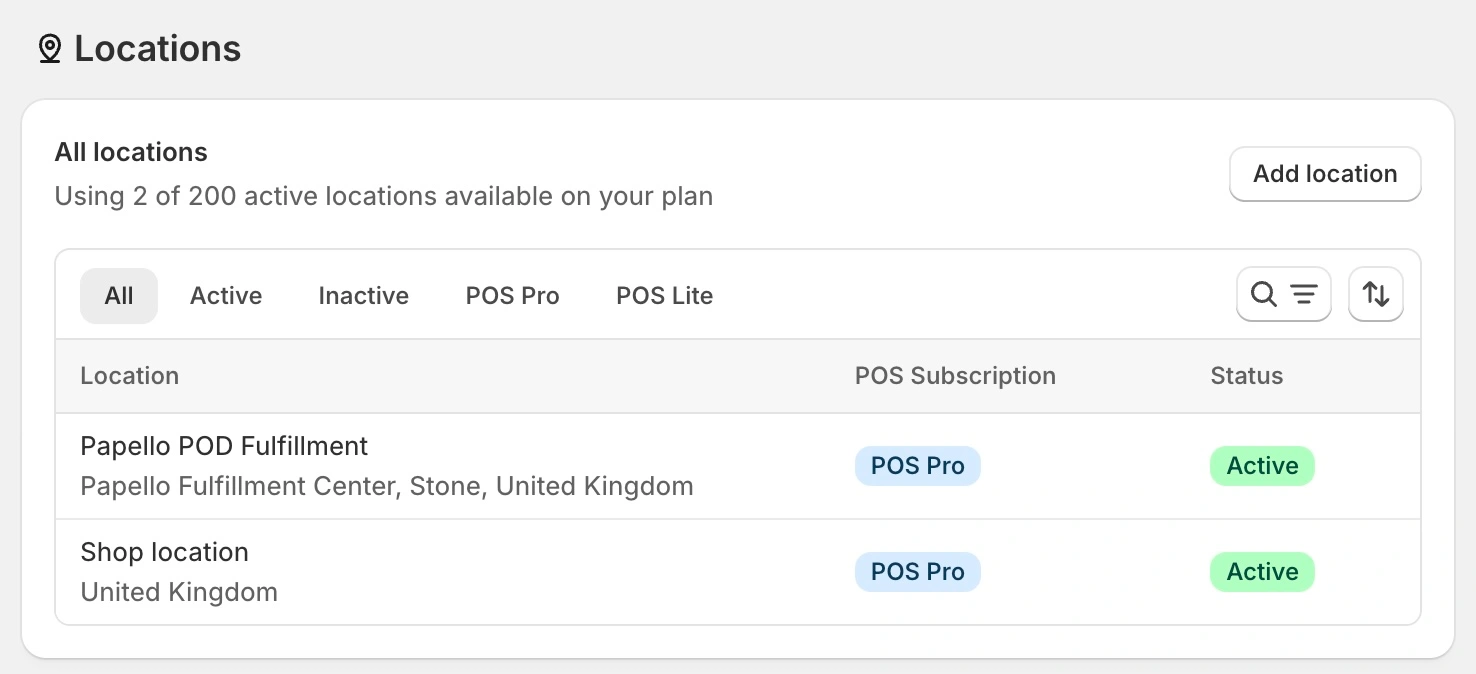
1. Papello Fulfilment Location Is Added
A new fulfilment location named “Papello POD Fulfilment” is added to your Shopify store.
You can view this in your Shopify admin under:
Settings → Locations
This location tells Shopify that products published from Papello will be fulfilled externally by Papello.
2. Papello App Shipping Profile Is Created
A Papello App Shipping Profile is added to your store.
You can find this in Shopify under:
Settings → Shipping and delivery
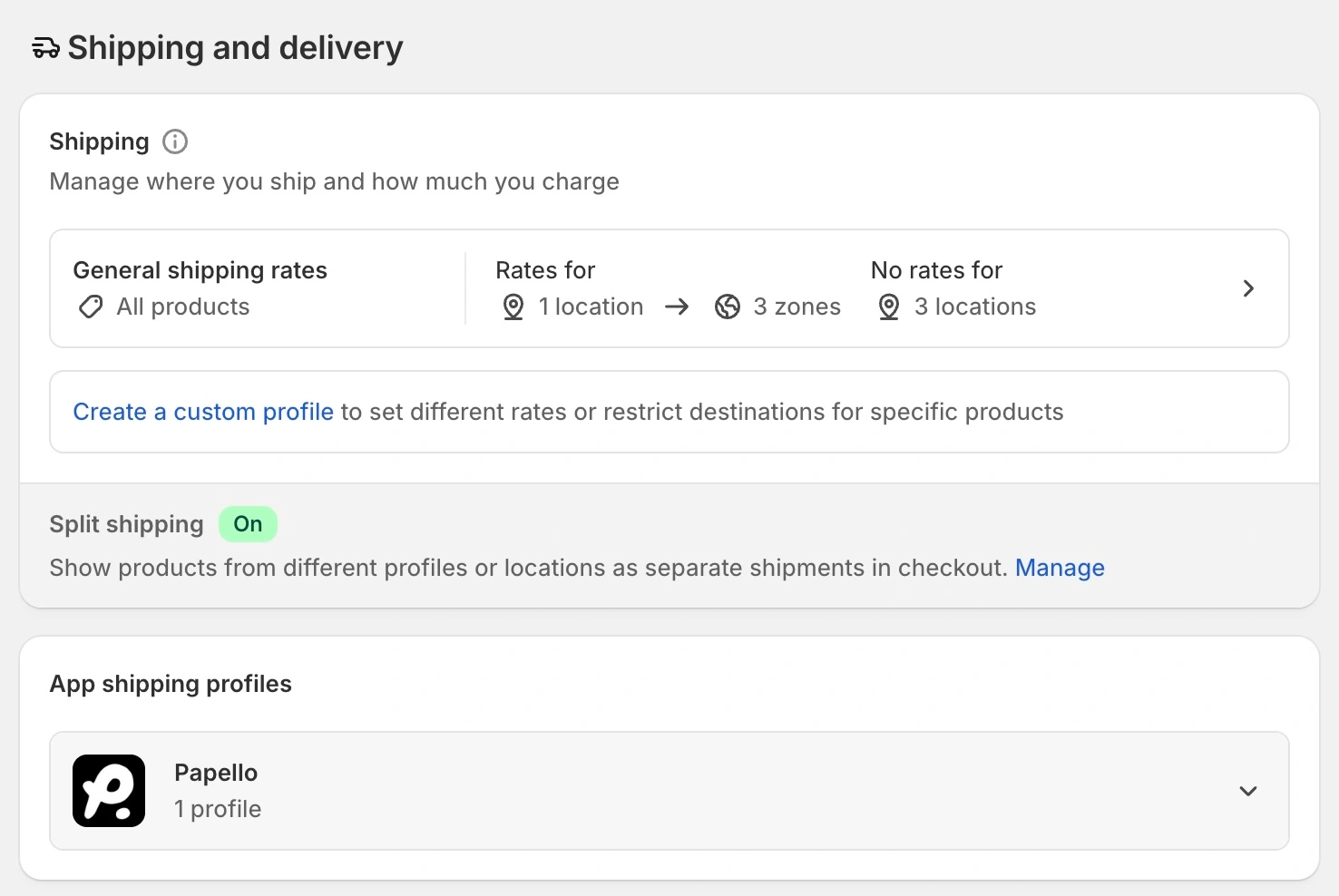
This shipping profile contains:
Shipping prices for all supported countries
Rates broken down by product weight
The actual shipping costs you’ll be charged by Papello (excluding VAT / tax)
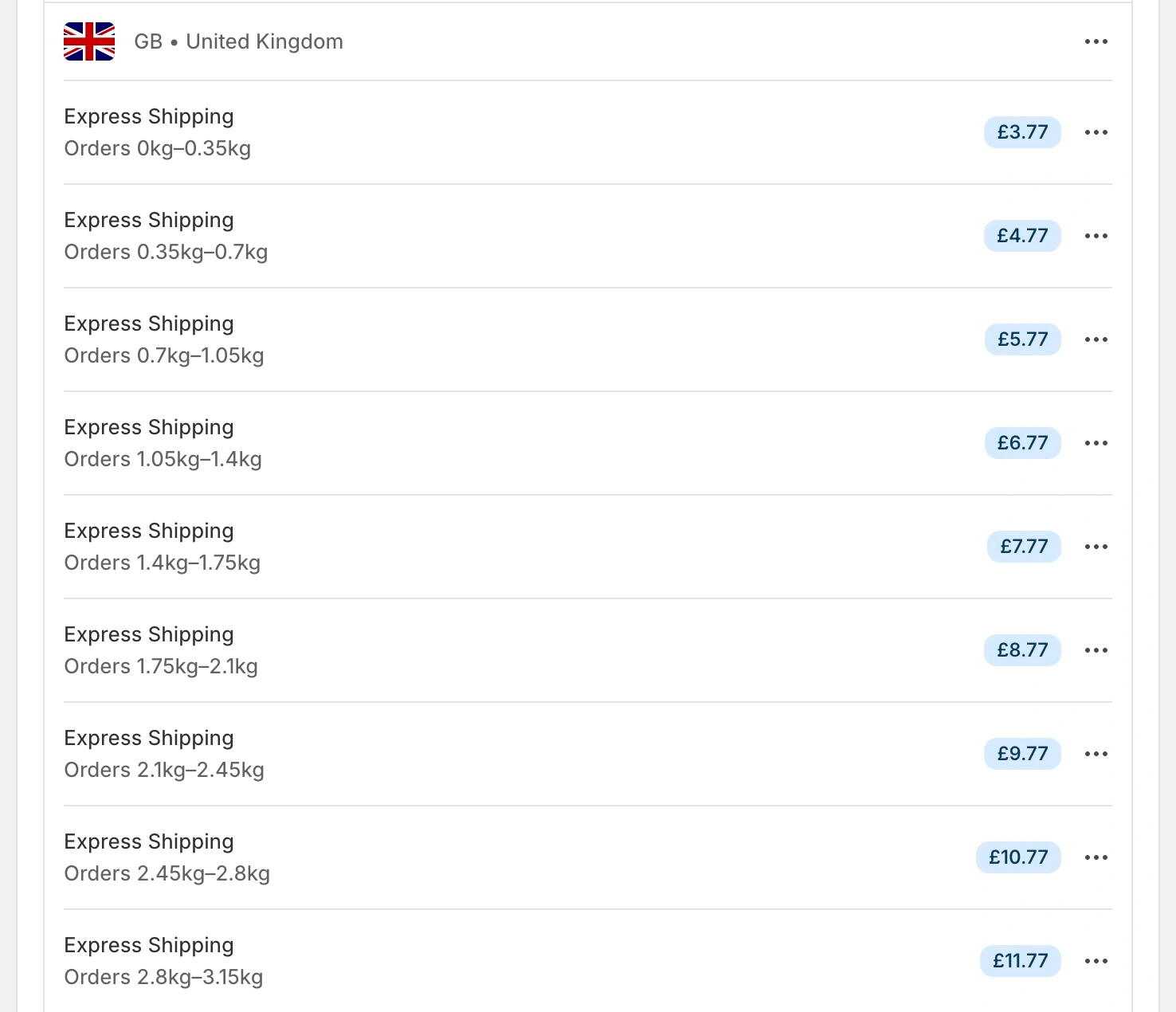
These rates are used automatically when customers check out.
Step 1: Choose a Listing to Publish
From the Listings page in the Papello dashboard, find the listing you want to publish.
Click Publish.
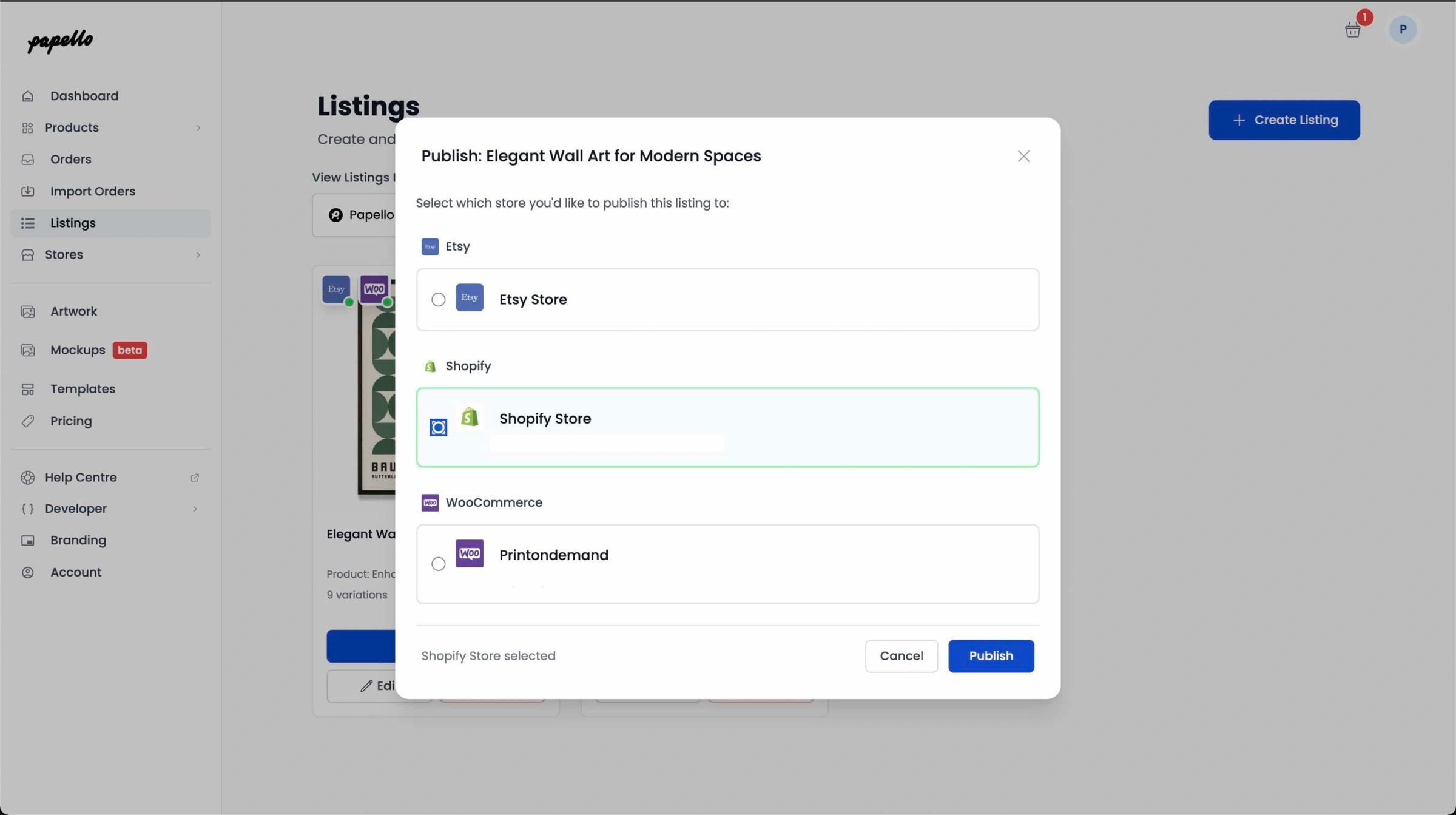
Step 2: Select Your Shopify Store
A pop-up window will appear showing all connected stores.
Select your Shopify store.
Step 3: Configure the Listing for Shopify
When publishing to Shopify:
The product is created using your Papello listing details
The fulfilment location is automatically set to Papello POD Fulfilment
Shipping is assigned using the Papello App Shipping Profile
This ensures that when the product sells, Papello is automatically responsible for fulfilment.
Shipping & Markets (Important)
Shipping will only be available to markets (countries) that are enabled in your Shopify store.
If a country is not enabled as a market:
Customers in that location will not be able to purchase the product
Shipping will not appear at checkout
To enable additional countries, you’ll need to enable the relevant Shopify markets in your store settings.
You can find full instructions here:
https://help.shopify.com/en/manual/markets-new/manage
Step 4: Publish to Shopify
Click Publish.
Your listing will be added to the publishing queue and should appear in your Shopify store within a few minutes.
Finished 🎉
That’s it — your Papello listing is now live on Shopify.
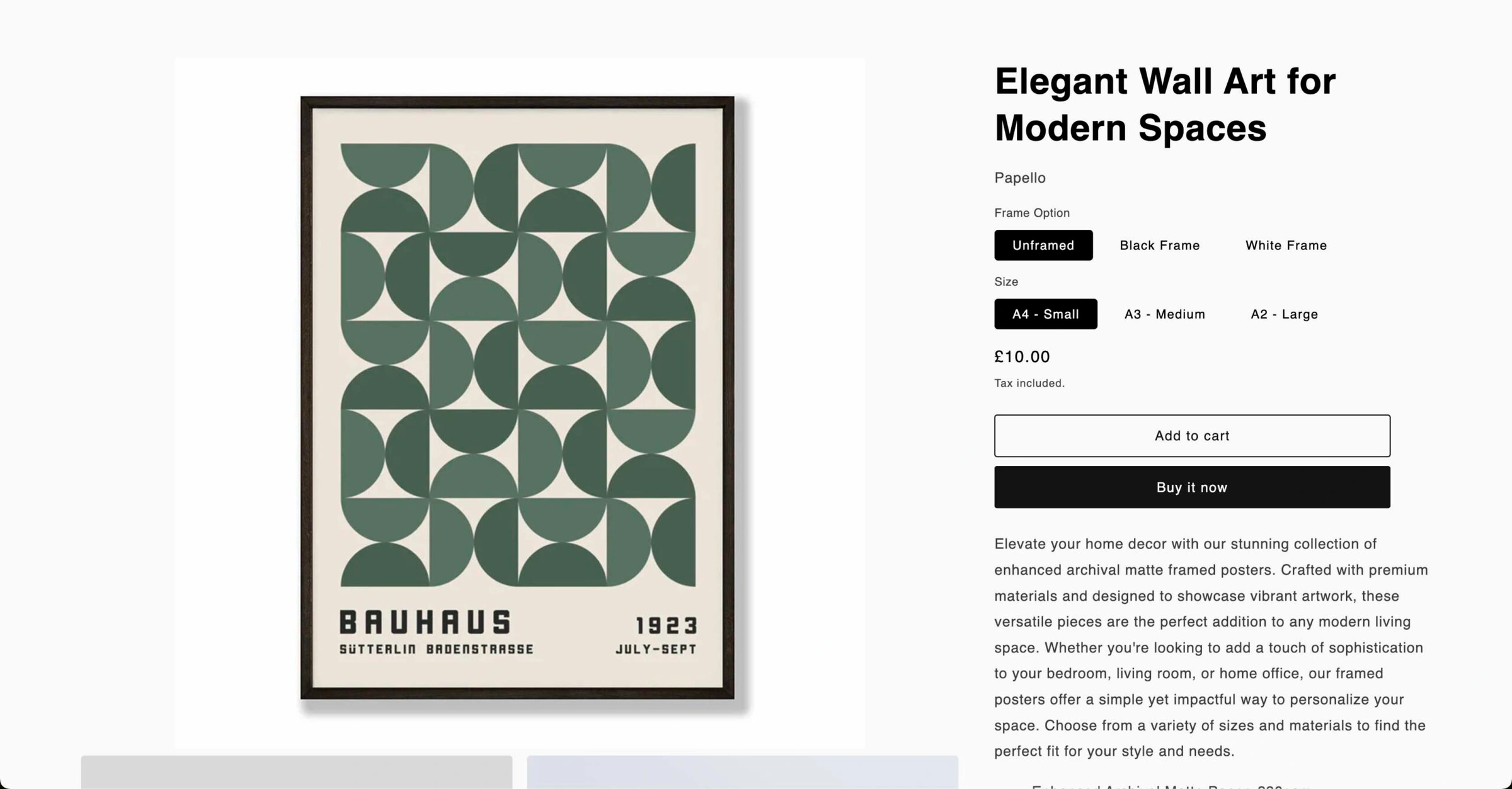
From this point forward:
Orders are automatically fulfilled by Papello
You don’t need to manage fulfilment manually
Shipping rates and fulfilment logic are handled for you