
We pride ourselves on producing prints to the highest possible standard for both you and your customers. To ensure every item leaving our facility looks its best, we have built several quality control steps into our workflow.
Our Quality Check Process
Occasionally, we may put an order "On Hold" if our production team feels the uploaded artwork doesn’t meet our minimum quality expectations.
Think of this as our due diligence; we’d rather pause and check with you than send out a subpar product. If your order is placed on hold, you will receive an automated email notification. You then have 48 hours to take one of the following actions:
Upload a new file: Use the link provided in the email to submit a higher-resolution version.
Authorise "As Is": Contact us to confirm you are happy to proceed with the original file.
Please note: If we don’t hear back from you within 48 hours, the order will automatically move into production with the original file to avoid further delays. If you choose to proceed with low-resolution artwork, the final print will not be deemed "defective," and will not be eligible for a refund or replacement.
Built-in Artwork Tools
To help you get it right the first time, we provide a suite of tools within the Papello dashboard to check your designs at every stage:
Design Templates: Use our downloadable templates to ensure your artwork is perfectly sized and positioned for your chosen product.
Quality Checker: Our automated system compares the dimensions of your uploaded file against the physical requirements of the product. It will flag a warning if the resolution is too low.
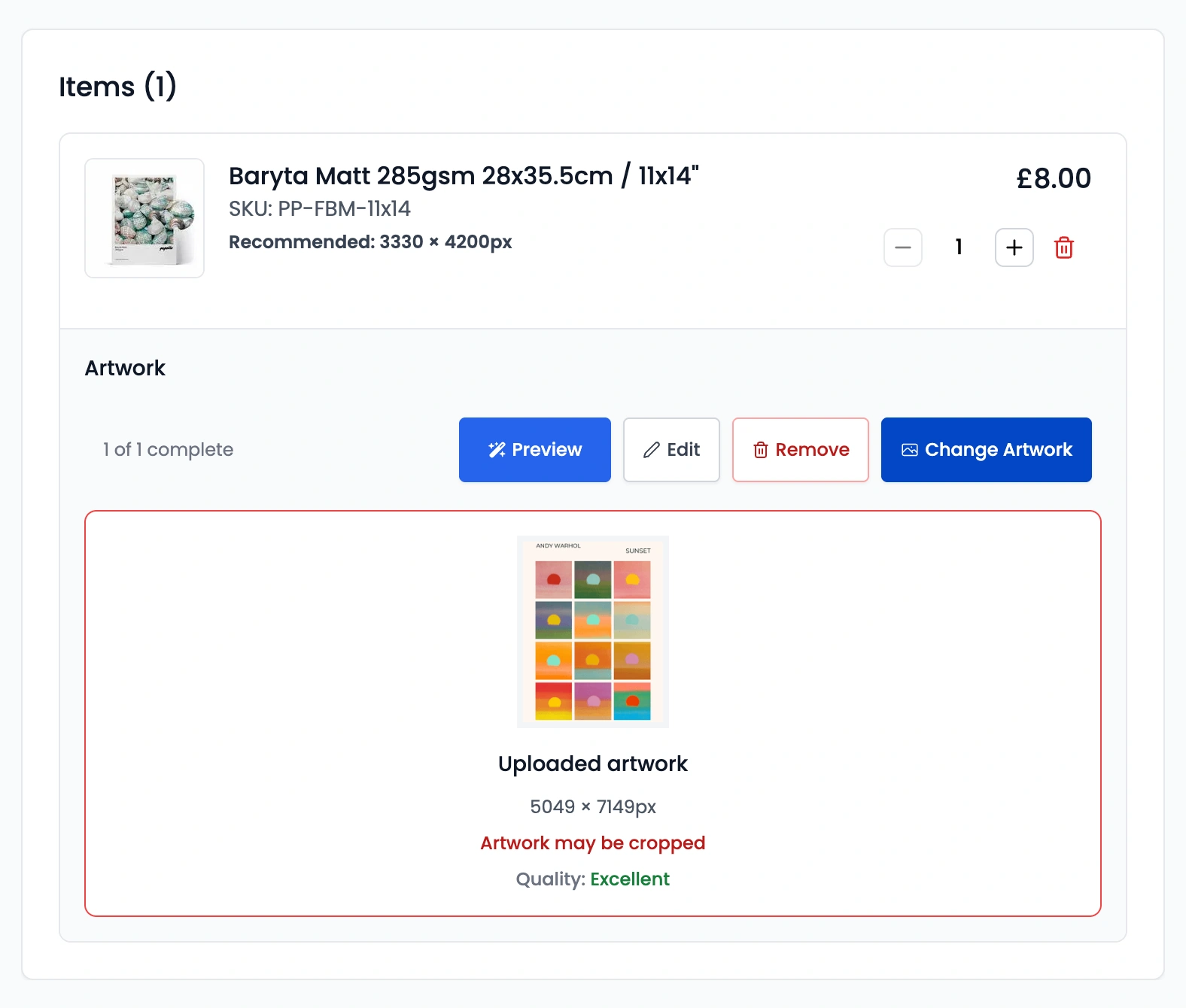
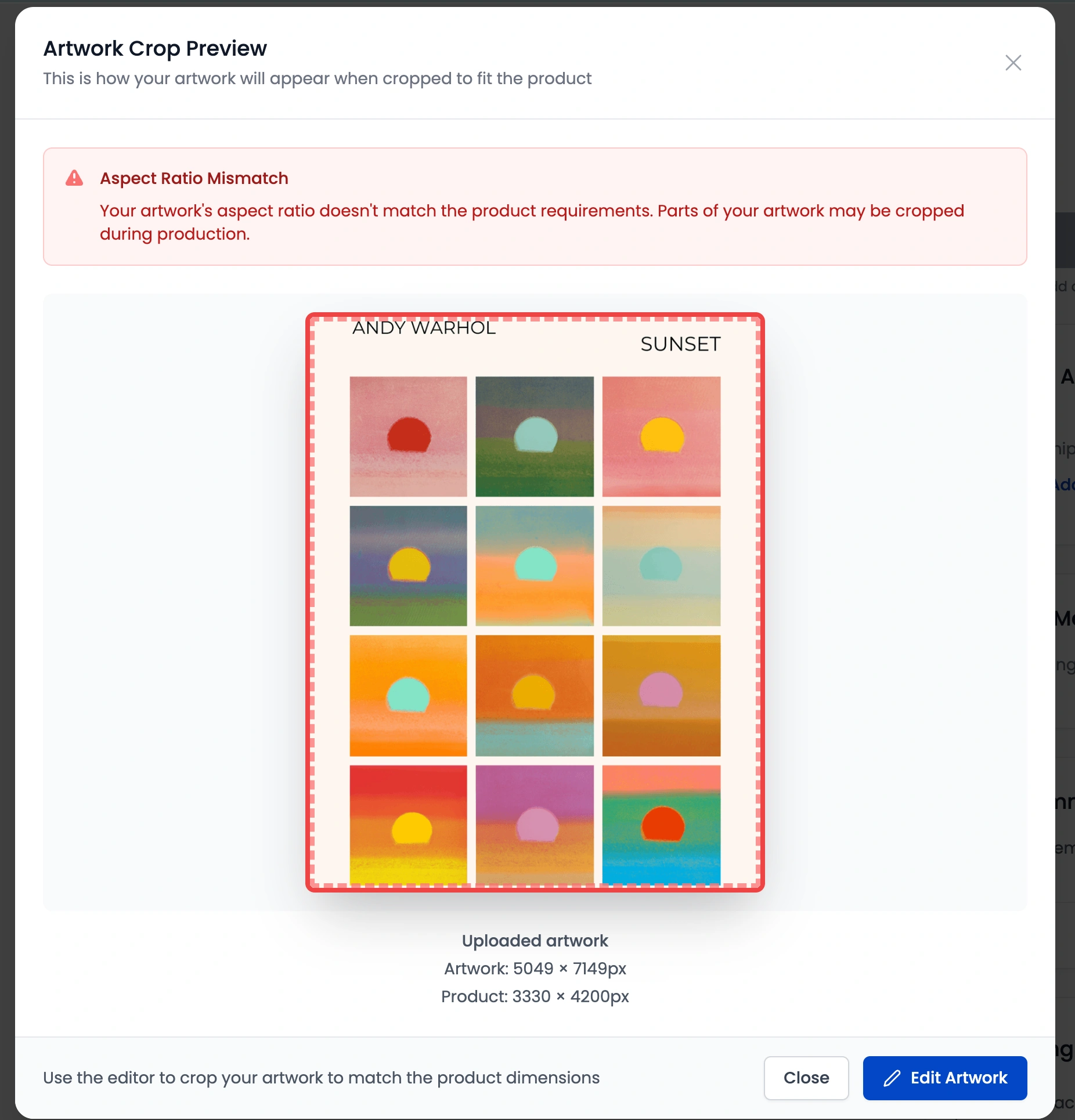
Cropping Preview: This tool indicates the "safe zone" for your design, highlighting if any important elements might be cut off during the printing or manufacturing process.
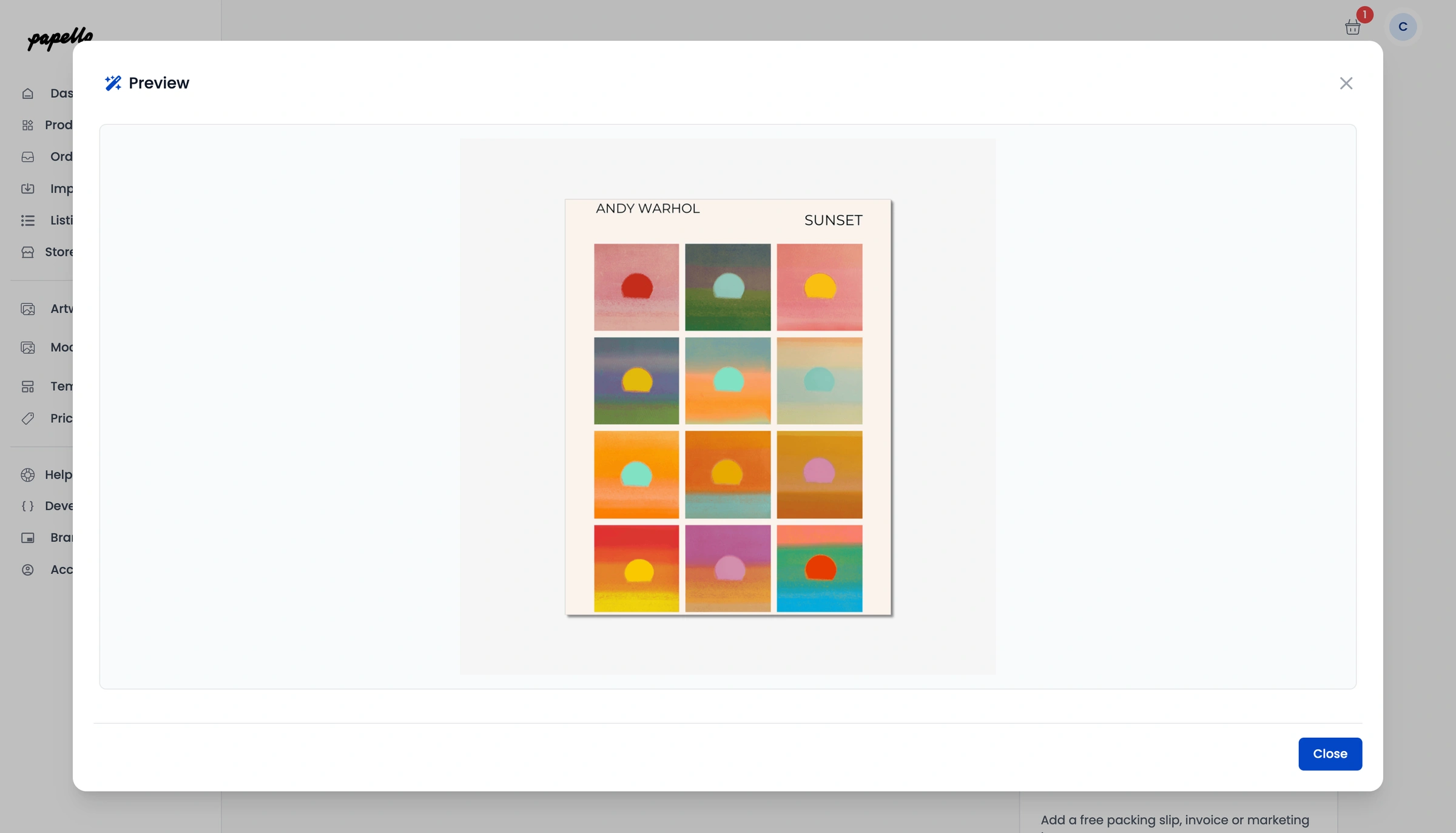
Product Mockups: Our previews provide an "as-close-as-possible" visual representation of how your artwork will sit on the final physical item.
Proactive Design Tips
For the best results, we always recommend:
Saving files in sRGB colour mode, unless product states otherwise.
Ensuring a minimum resolution of 300 DPI at the actual print size.
You can find a detailed breakdown of our recommended dimensions and resolution settings for every product on the dashboard.