
If a Shopify order hasn’t been automatically fulfilled by Papello, you can submit it manually from the Papello dashboard.
This allows you to:
Select the correct Papello product
Assign the artwork to be printed
Send the order to Papello for production and shipping
Once fulfilled, Papello will automatically update the Shopify order with tracking and completion status.
When Would You Use Manual Fulfilment?
Manual fulfilment is useful if:
The product was not published from Papello
Automation is disabled
The order contains a non-Papello product
You want to choose artwork at fulfilment time
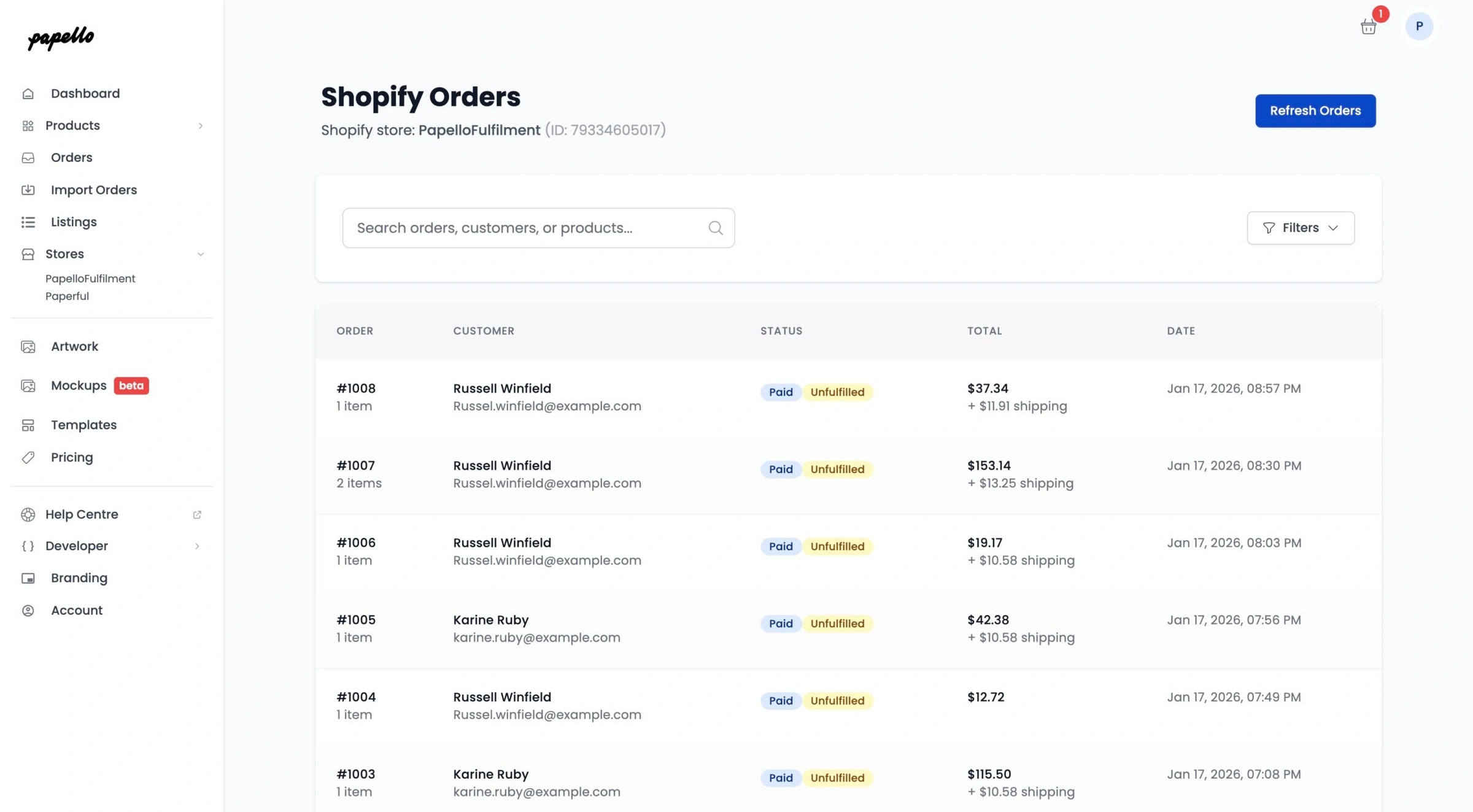
Step 1: Open Shopify Orders in Papello
Go to the Orders page:
https://dash.papello.com/dashboard/orders
Find your Shopify store in the stores list and click View Orders.
Step 2: Select the Shopify Order
Papello will display Shopify orders that are:
Paid
Unfulfilled
(You can use filters to show all orders if needed.)
Find the order you want Papello to fulfil and click it to open.
Step 3: Review Order & Customer Details
You’ll now see:
Order items
Customer shipping address
Order information from Shopify
Confirm the order details are correct before proceeding.
Step 4: Add the Papello Product
For each item you want Papello to fulfil:
Select the matching Papello product
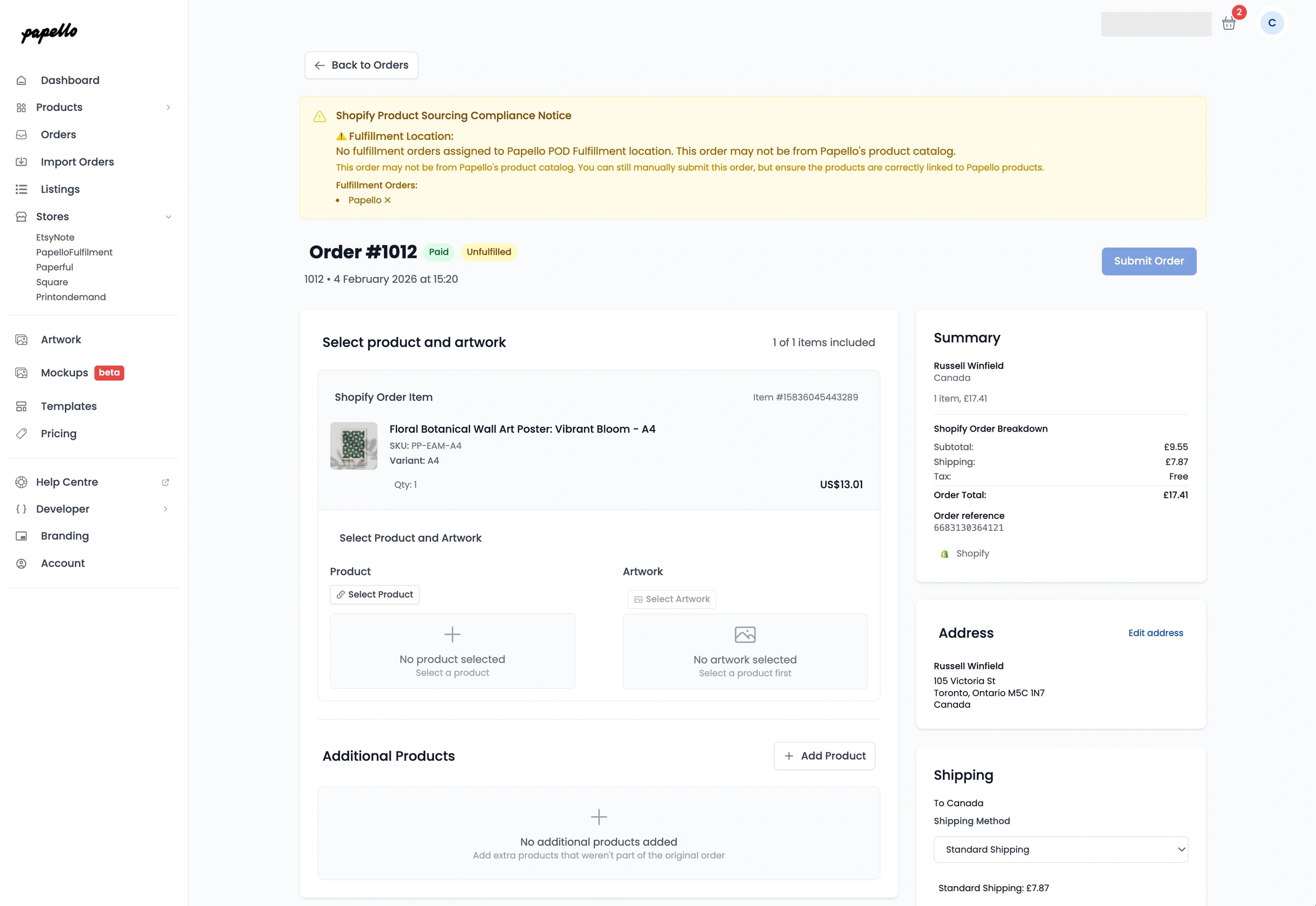
Assign the artwork that should be printed
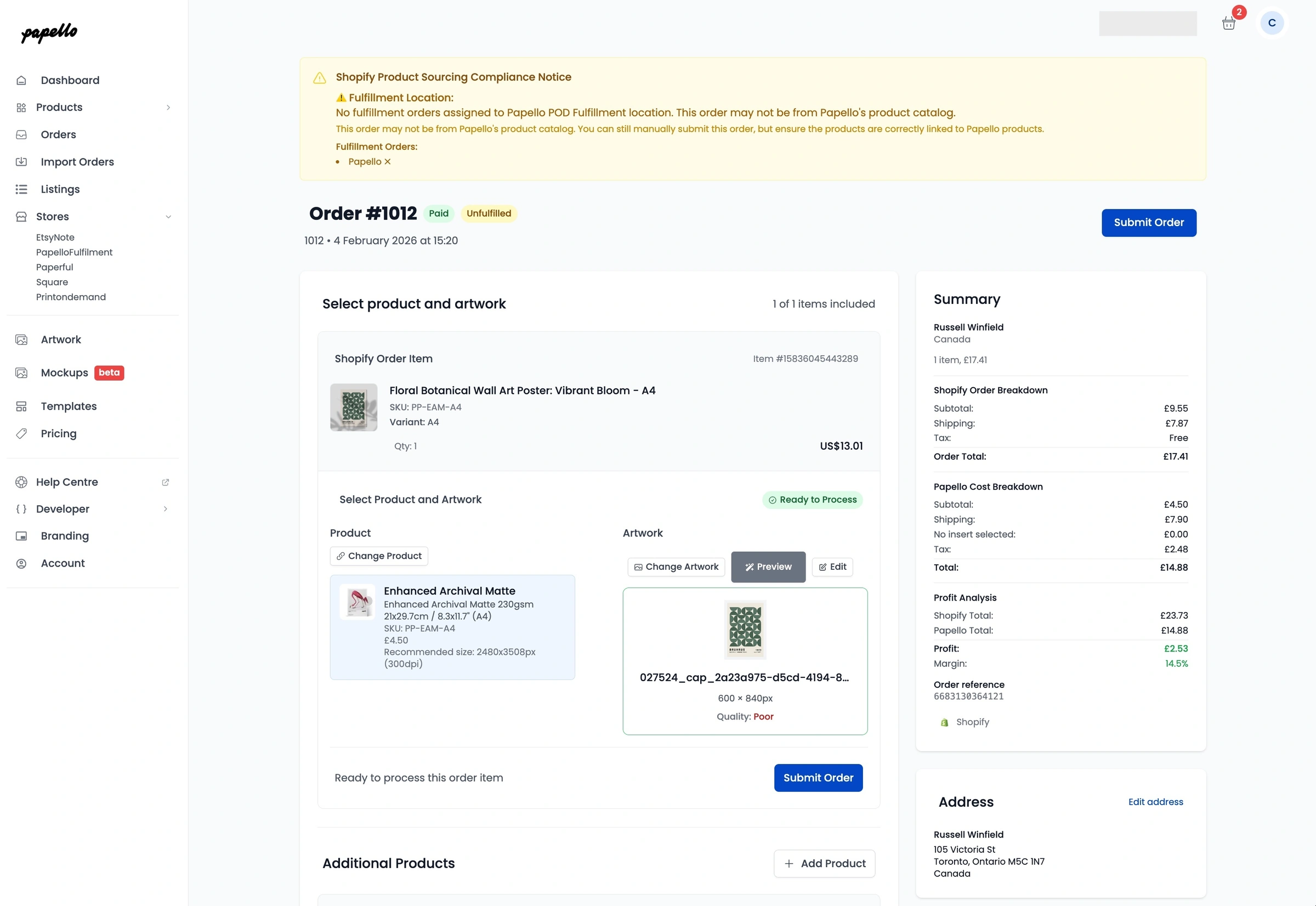
This links the Shopify order item to Papello production.
Step 5: Check Artwork & Positioning
Before submitting, you can confirm everything is correct using:
Preview — see how the product will look
Artwork Checker — confirm quality and sizing
Make any adjustments if needed.
Step 6: Submit the Order to Papello
Click Submit Order.
Papello will now:
Create the production order
Charge your saved payment method
Print and ship the item to your customer
What Happens Next
Once the order ships:
Tracking is sent back to Shopify
The Shopify order is marked Completed
Fulfilment status is updated automatically
You do not need to update Shopify manually.
Summary
You can manually submit Shopify orders to Papello
Select the product and assign artwork
Submit for fulfilment
Papello prints, ships, and updates Shopify automatically