
All payments for Papello orders are securely processed through Stripe, our trusted global payment provider. This ensures your transactions are handled with industry-leading security and encryption.
Adding a Payment Method
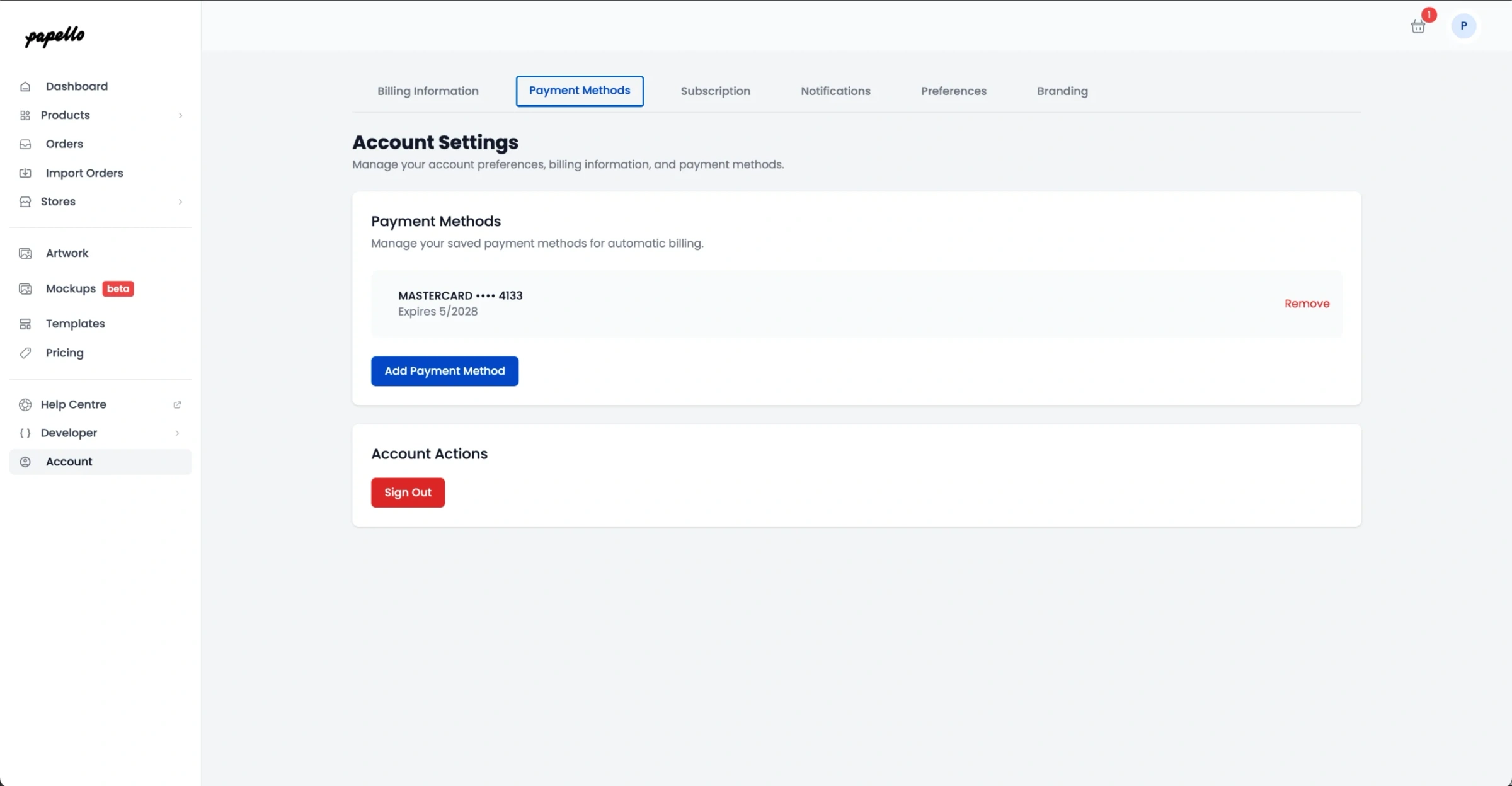
You can manage your payment methods directly from your Papello Dashboard to ensure there are no delays in production.
Log in to your Papello Dashboard.
Navigate to Account → Payment Methods.
Click Add New Card and enter your details.
Security Note: Papello never stores or has access to your full card information. All details are encrypted and securely held by Stripe.
How Payments Work
When you add a new payment method, Stripe performs a £0.00 pre-authorisation to verify your card is active. No actual charge is made at this stage.
For Manual Orders:
Add items to your basket and click “Submit Order.”
A charge is immediately attempted on your saved payment method.
Once successful, the order moves straight into In Production status.
For Automated Orders (Etsy, Shopify, WooCommerce):
When a customer buys from your shop, Papello automatically imports the order.
Our system attempts to charge your saved payment method automatically.
If you have set a Processing Delay (e.g., 1 hour or 24 hours) in your settings, the charge will only happen once that delay period expires.
Failed Payments
If a payment fails (due to insufficient funds or an expired card), the order will move to Failed status.
You will receive an email notification immediately.
To resolve: Ensure your funds are available or update your card details, then click "Retry Payment" on the specific order in your dashboard to send it to production.
Accepted Payment Methods
Through Stripe, we support all major credit and debit cards, including:
Visa
Mastercard
American Express