
When creating an Etsy listing, you will need to add Papello as your production partner.
Depending on whether you design the artwork yourself or you have a licence for reproductions, some settings may be different from the ones selected below.
1. From your Etsy Seller dashboard, go to Settings > Partners you work with
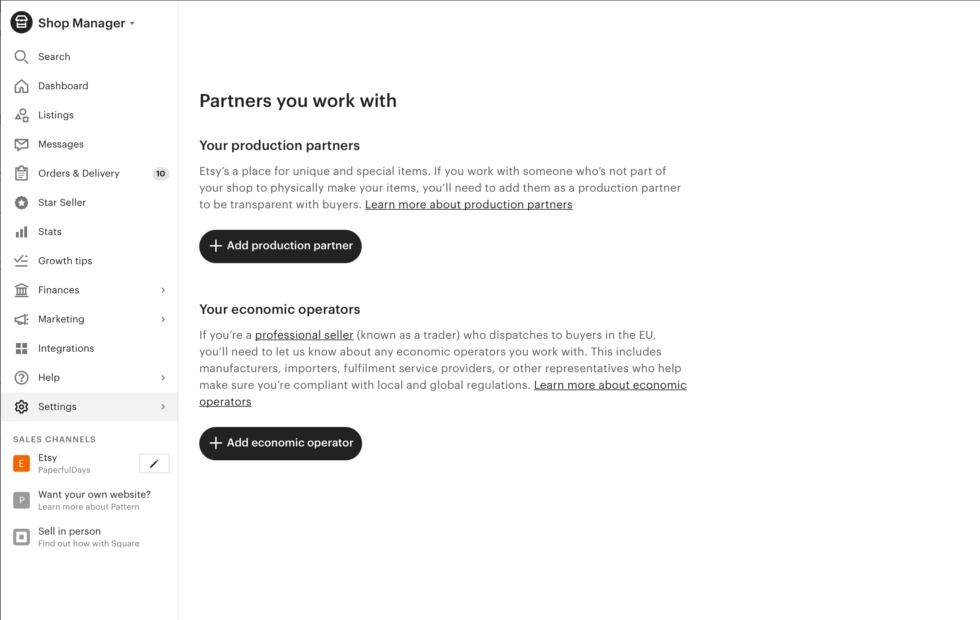
2. Click “Add production partner” and fill in the relevant fields and information and click “Save”.
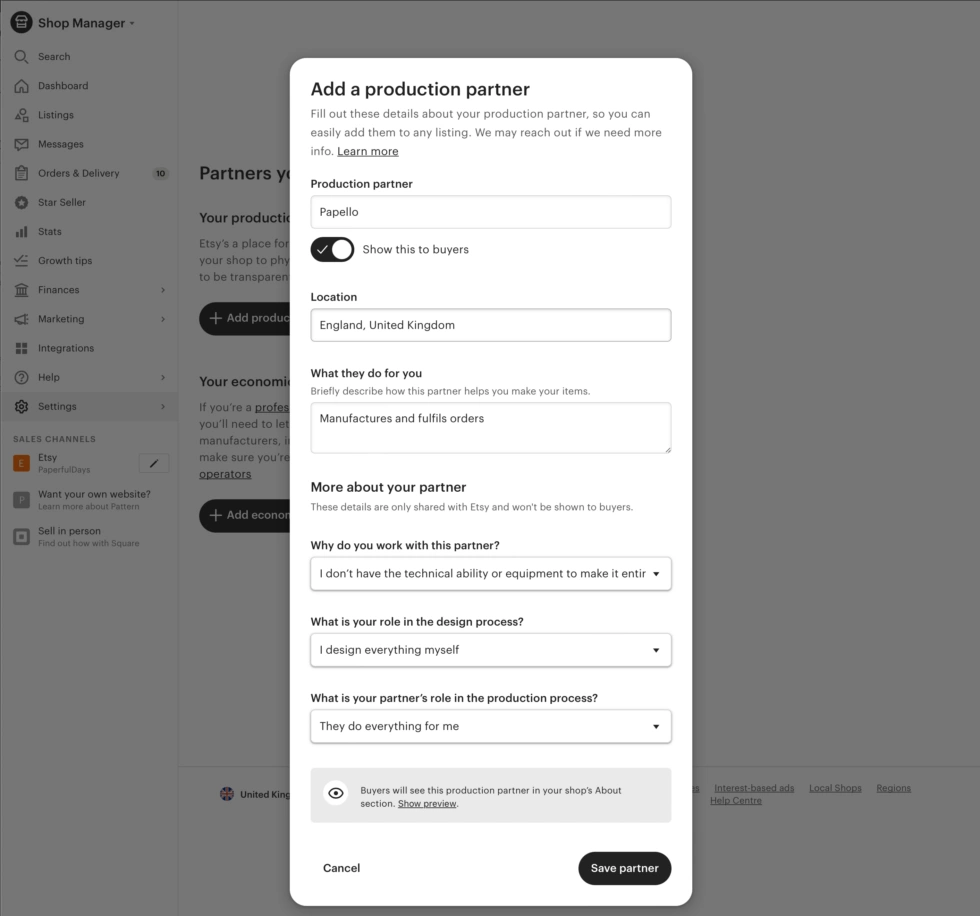
You can now add Papello as a production partner on Etsy to any of the listings that we fulfil.
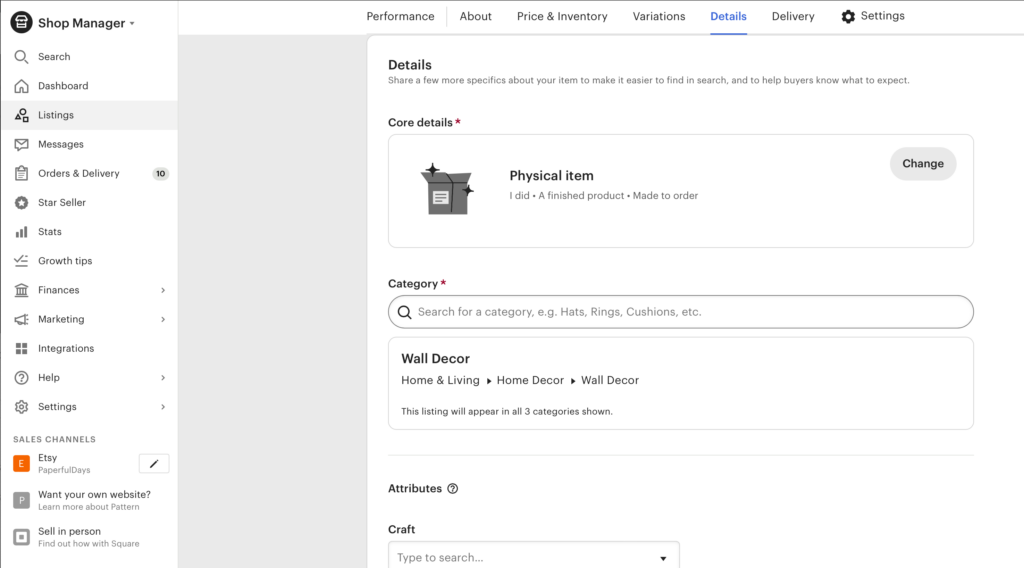
3. Here’s how you add Papello as your production partner to a listing.
From your Etsy Seller dashboard, go to Listings and select a listing you’d like to add Papello as a production partner.
In the Details section under Core details, click Change.
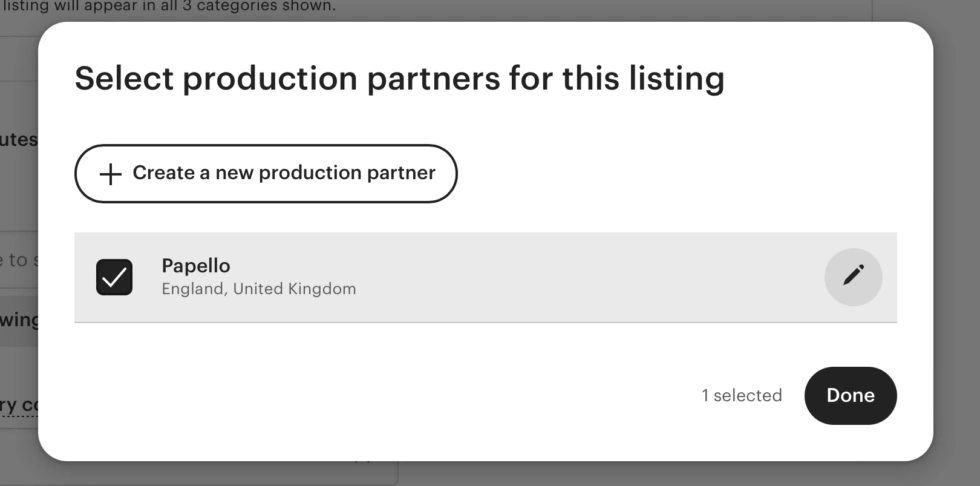
4. Scroll to the bottom of the pop-up and click “Select production partner”
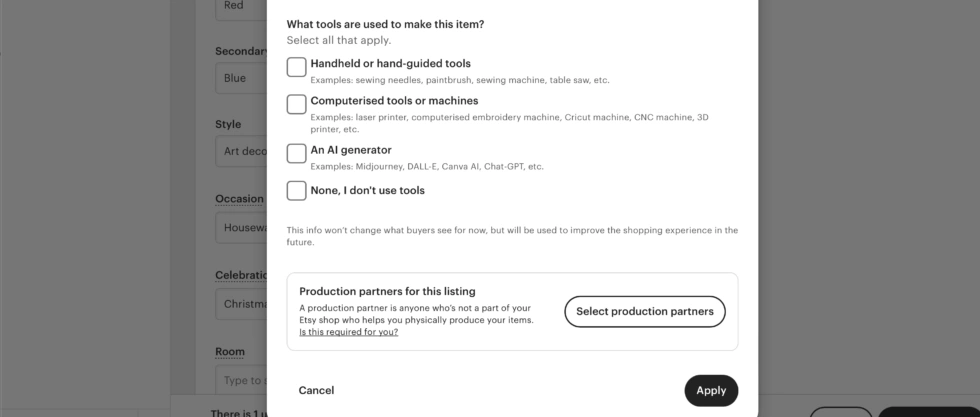
Tick the box showing Papello and press done.
Next, click Apply and Publish the changes you’ve made to your listing.
That’s it! You’ve added Papello as a production partner for your listing.