
Integrating your Shopify store with Papello is the quickest way to automate your print-on-demand business. Once connected, your orders will flow seamlessly to our production team, and we’ll handle the printing, packaging, and shipping for you.
Follow these simple steps to get started:
1. Install the Papello Shopify App
There are two ways to begin the integration:
Direct Link: Head straight to the Shopify App Store and click the ‘Install’ button.
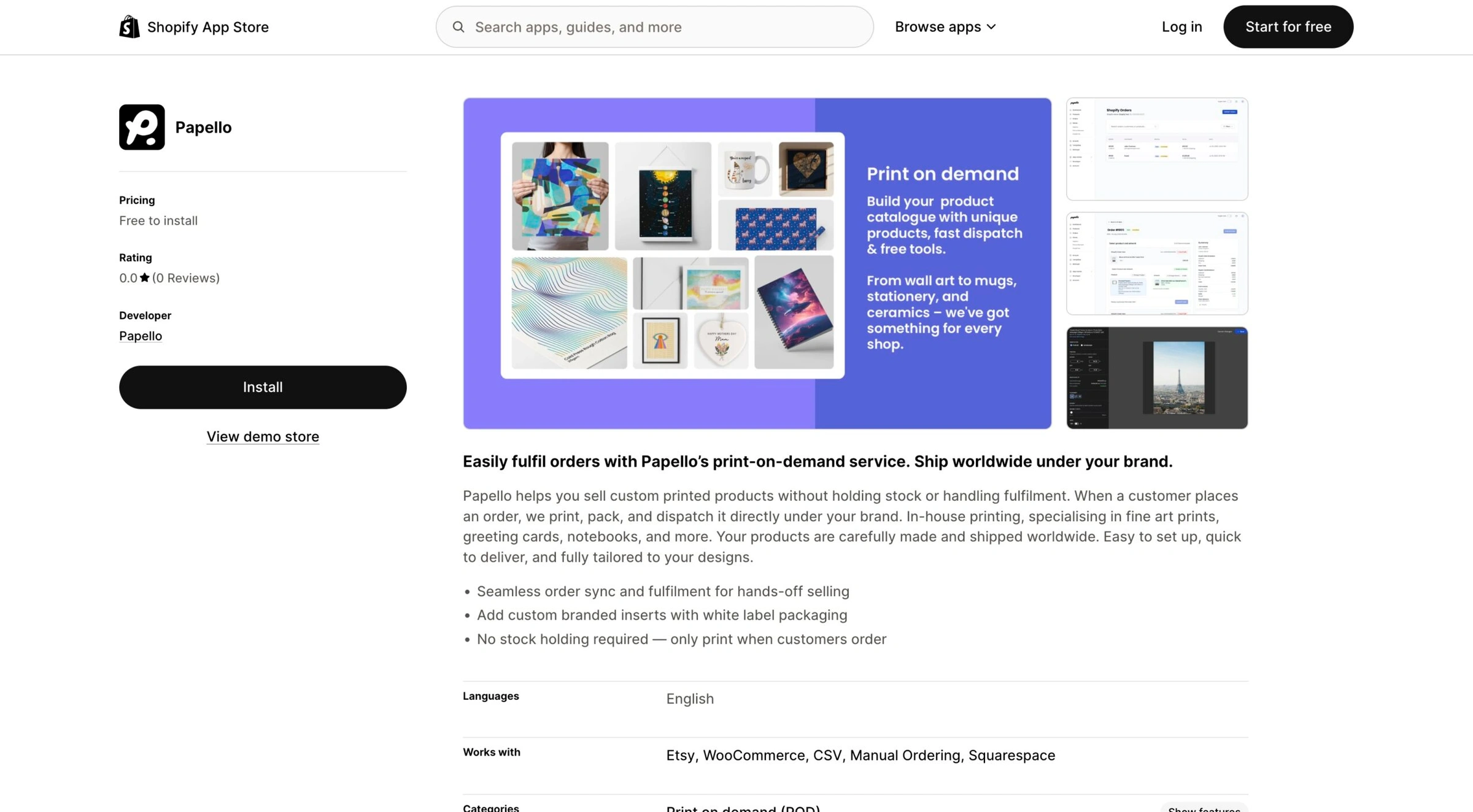
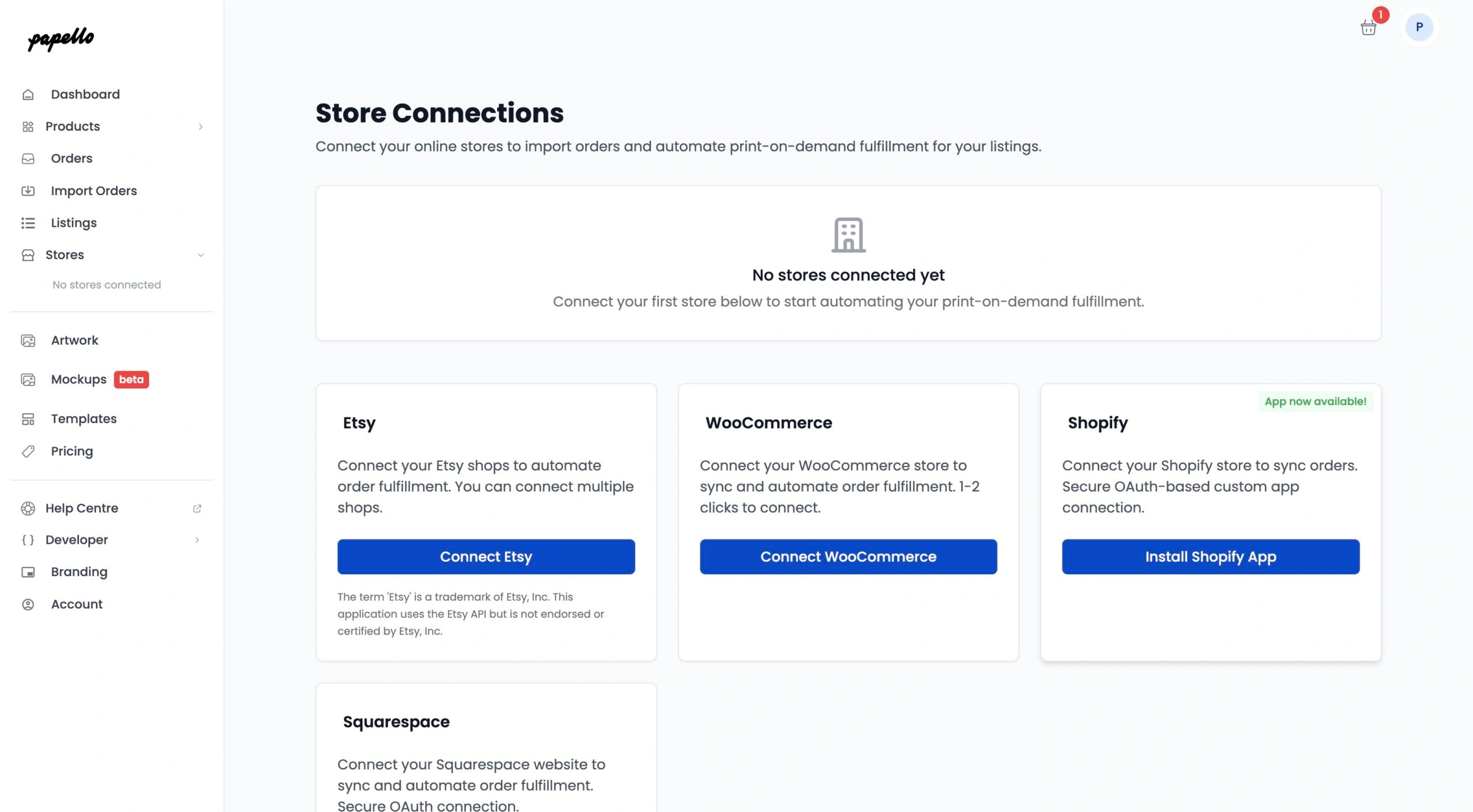
Via the Papello Dashboard: Log into your Papello account, navigate to the ‘Stores’ page, and click ‘Install Shopify App’. This will take you directly to the app listing.
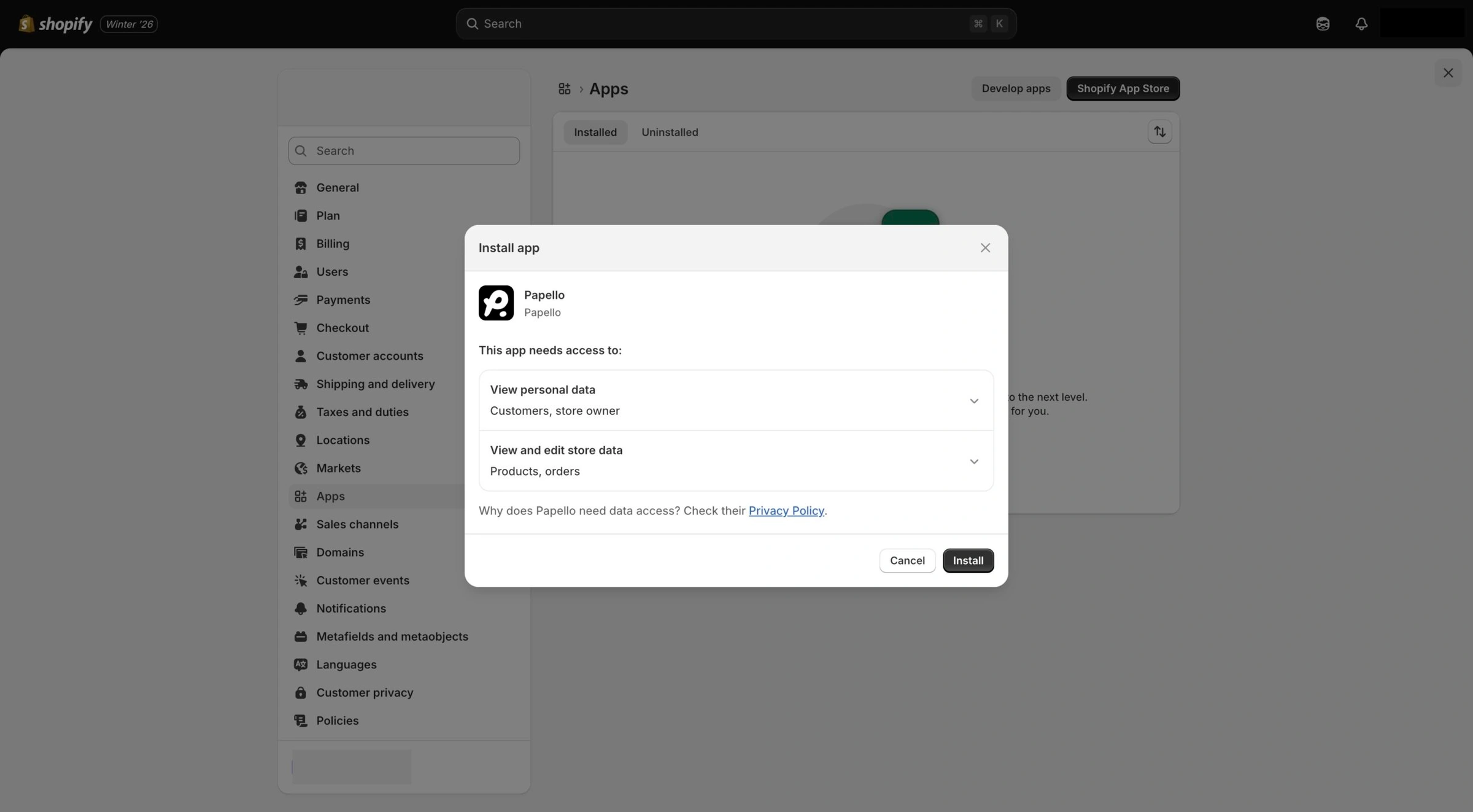
Once you click install, follow the on-screen prompts in your Shopify admin to authorise the connection.
Benefits of the Shopify Integration
No Manual Entry: Eliminate the risk of typos by syncing customer addresses directly.
Automated Tracking: Your customers are kept in the loop without you having to lift a finger.
Centralised Control: Manage your entire product catalogue and order history from one place.
Need a hand getting set up? If you run into any hitches during the installation, please reach out to our support team via the help bubble on your dashboard.