
You can delete your Papello account at any time directly from your dashboard.
⚠️ Critical Warning: Permanent Deletion
Once you delete your account, there is no going back. This action cannot be undone. Deleting your account will permanently delete your account and all your data. All user data will be deleted and cannot be restored.
Steps to Delete Your Account
Follow the final on-screen instructions, which will require you to confirm that you understand the data loss is permanent and irreversible.
Log in to your Papello dashboard.
Navigate to your Account Settings and select the Security tab.
(Direct Link: https://dash.papello.com/dashboard/account#security)
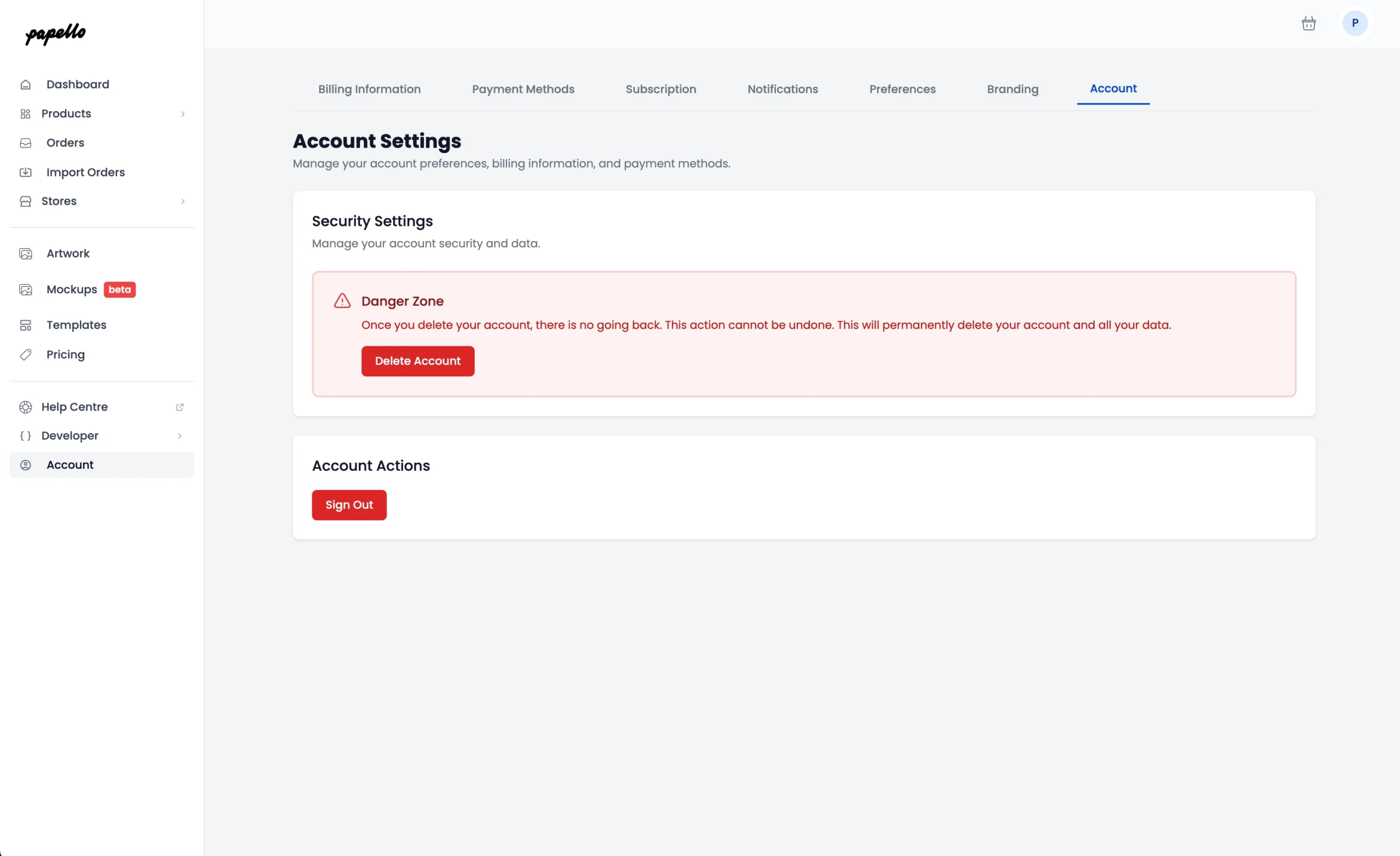
You will find the ‘Delete Account’ section, clicking “Delete Account” will ask for confirmation.
Confirm account deletion by typing “DELETE” and click “Delete My Account“
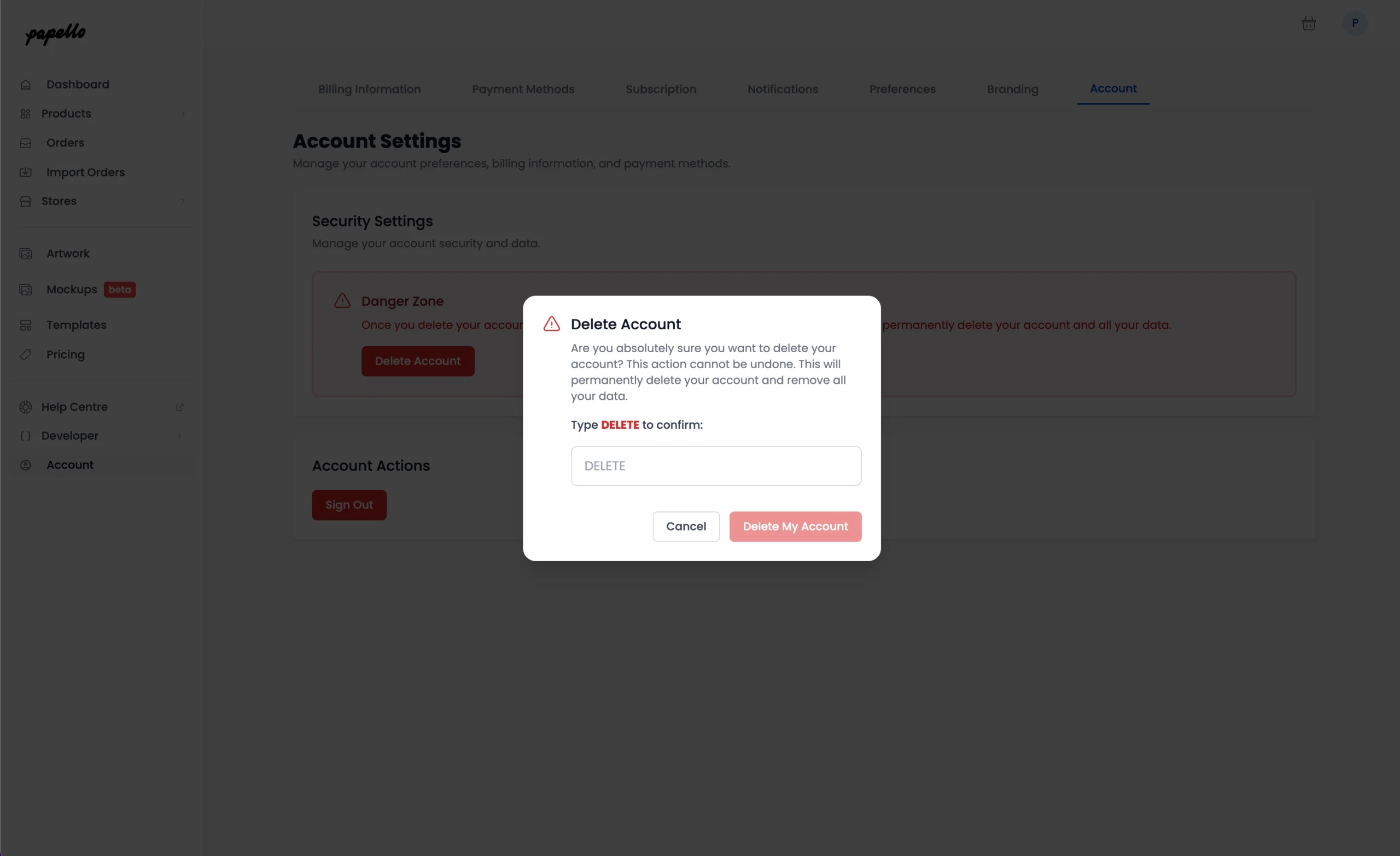
Your account and data will be immediately removed, and you will be logged out.
If you would like to use Papello at a later date, you will need to sign-up for a free Papello account again.