
Let’s connect your Etsy store!
1. Login to your Etsy store
2. Login to your Papello Dashboard
3. On your Papello Dashboard click on the “Stores” link from the left-hand menu
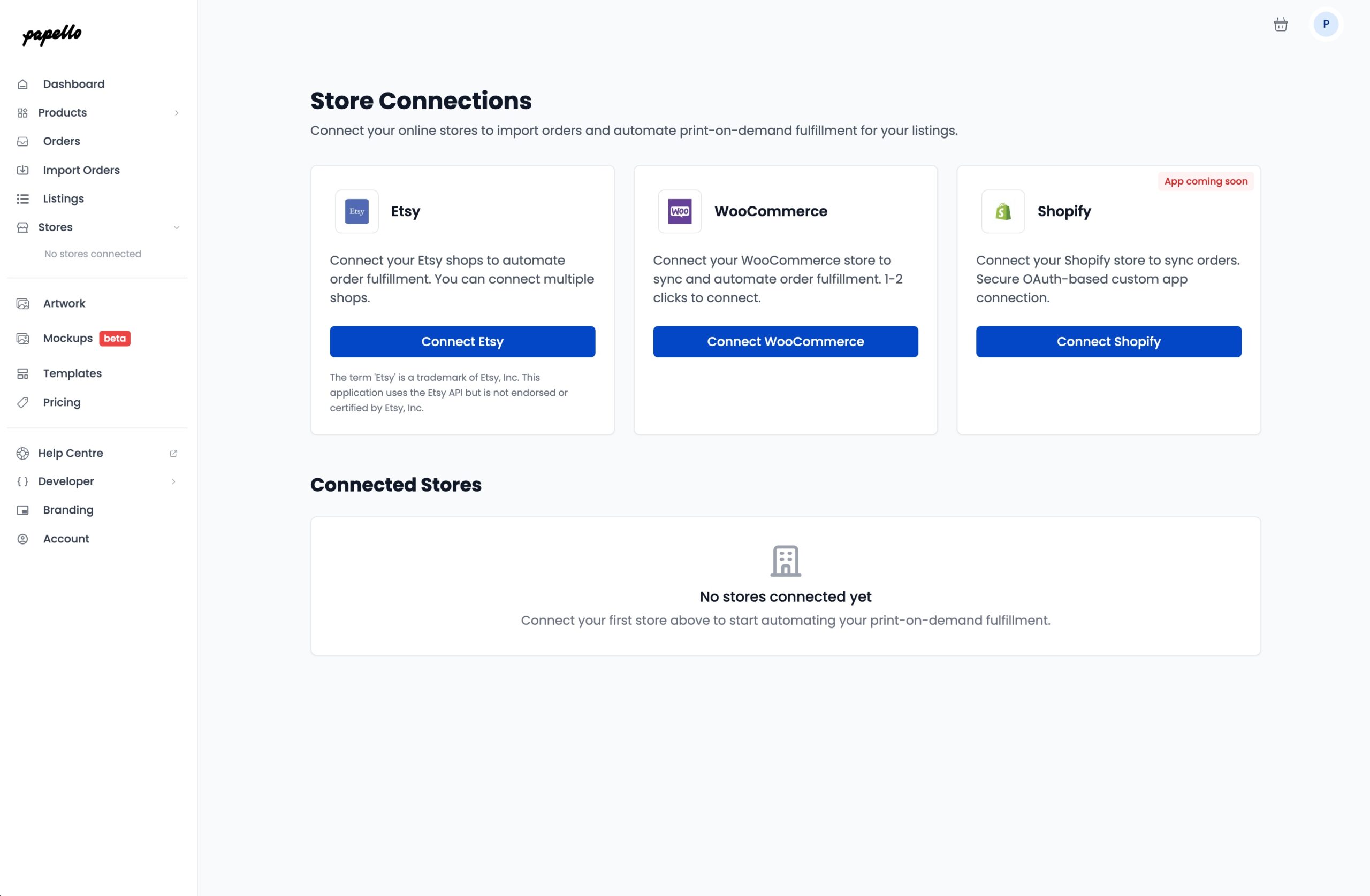
4. Click “Connect Etsy” in the top Etsy box
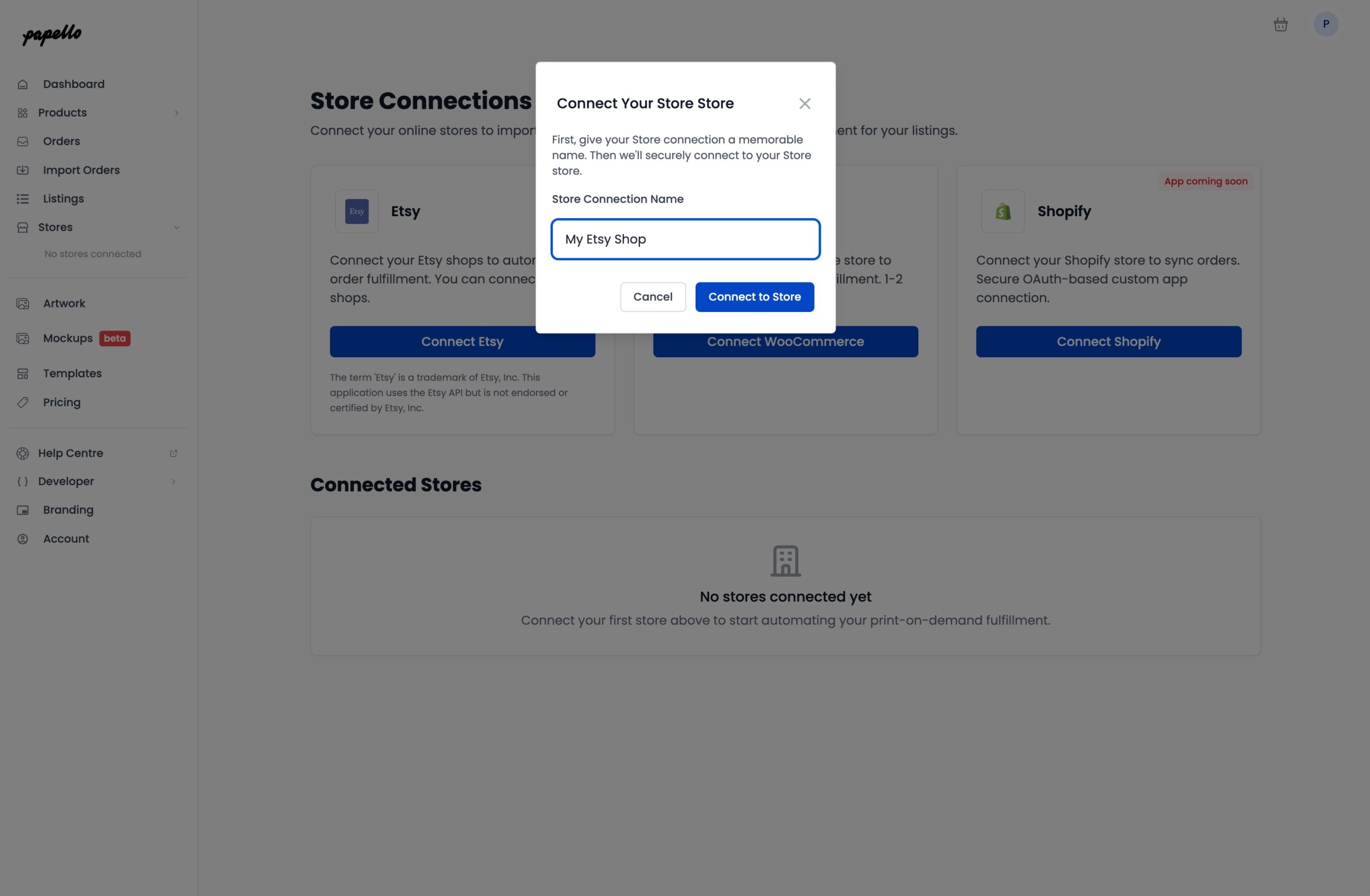
5. Enter a store name (This can be any recognisable name) – Click Connect your Etsy store
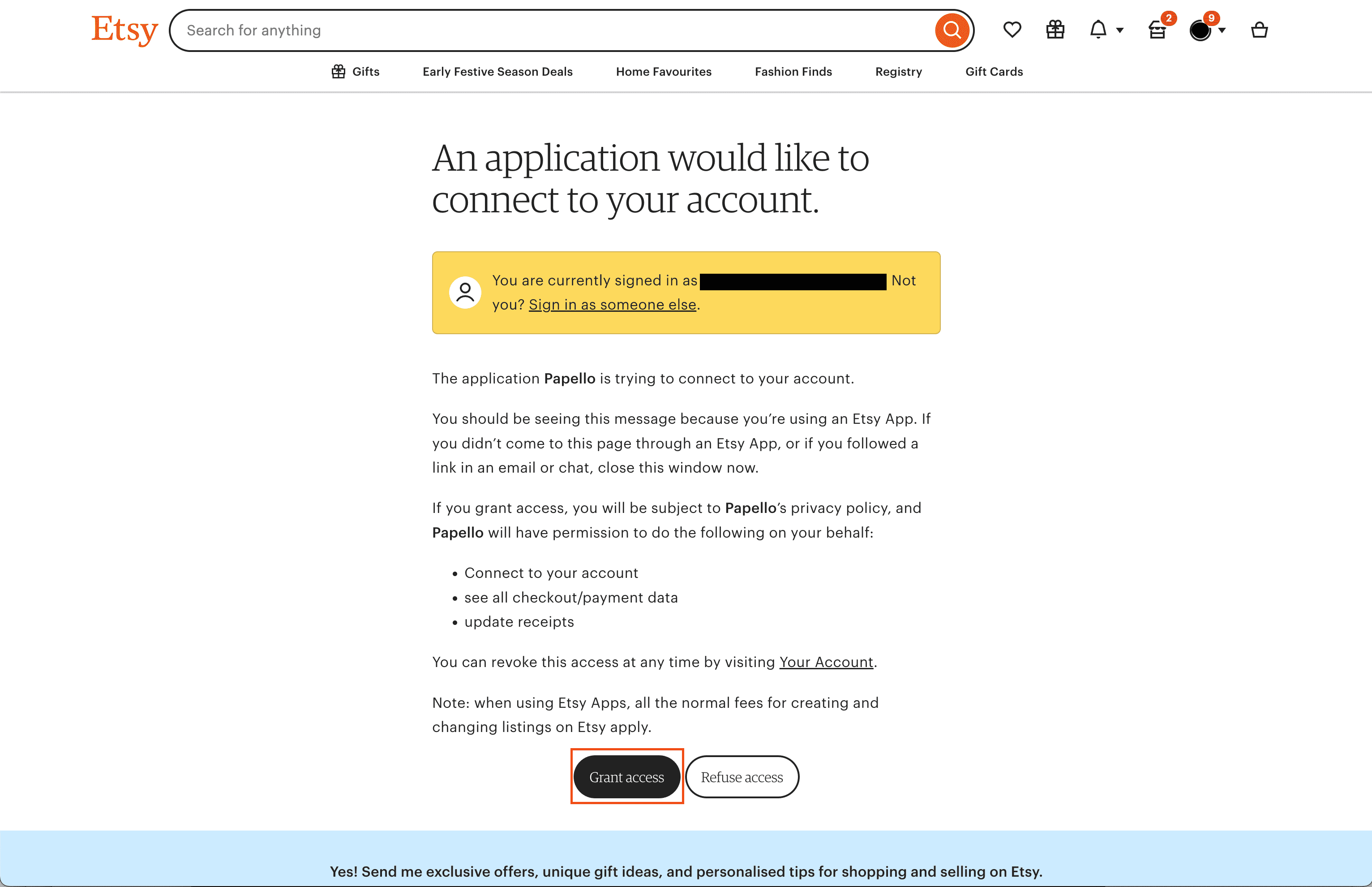
6. You will be directed to Etsy, where you need to grant access to the Papello App. Click “Grant Access“
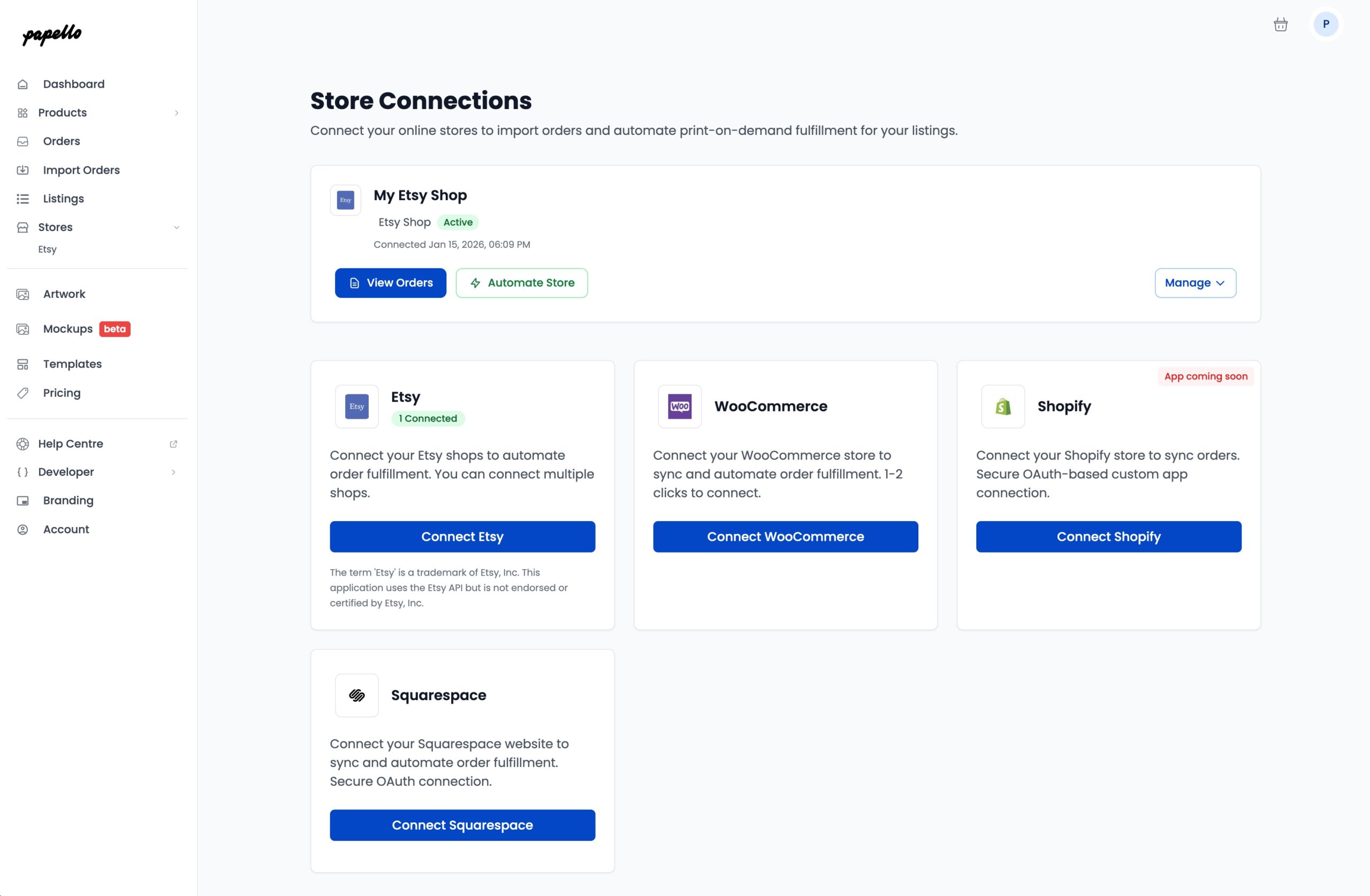
7. You’re connected! Order will now be synced into your sales channels. Click ” View orders” under your Etsy shop name to see your pending Etsy orders.
Here you can view a list of all your orders
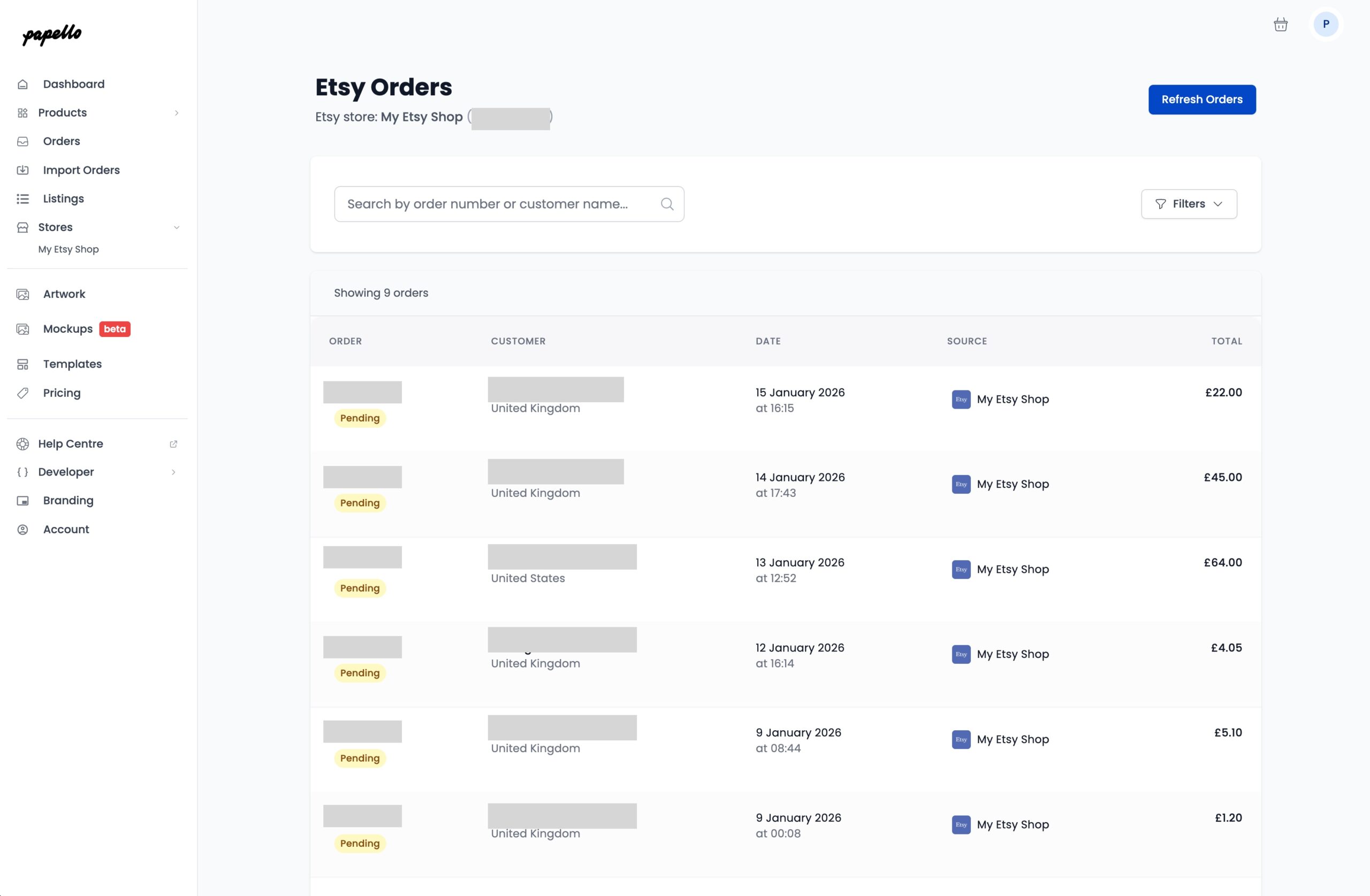
View individual order details by clicking on any order to open it
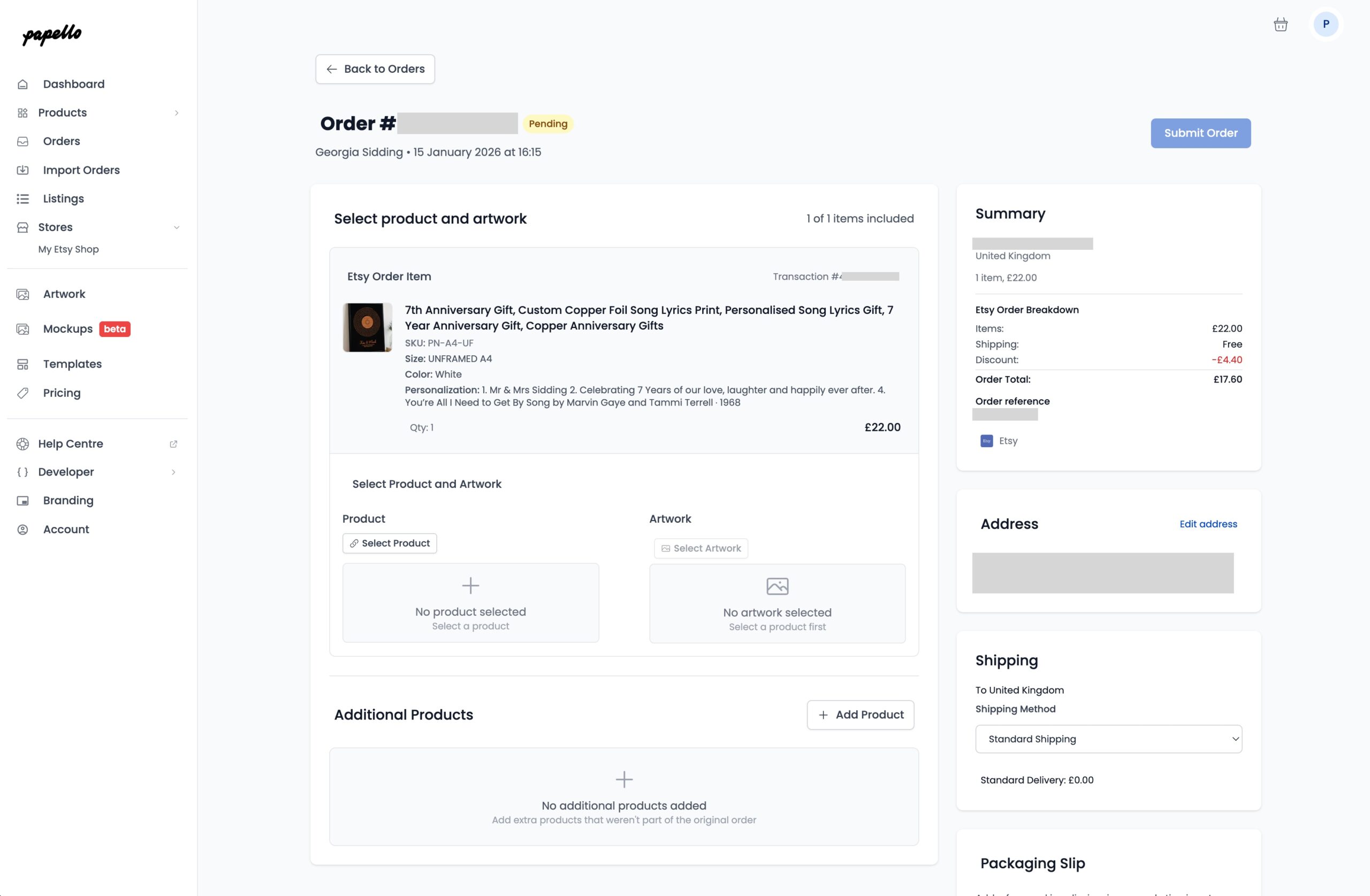
From here you can add a Papello Product, Assign Artwork and submit your order to Papello for fulfilment.