
Once you’ve created your product listing in Papello, you can publish it directly to your Etsy store.
👉 For instructions on creating product listings, see: How to create a Single Product listing on Papello
Publishing a listing to Etsy enables full automation. When a customer purchases the item on Etsy:
- The order is automatically submitted to Papello
- Your saved payment method is charged
- The item is printed and shipped directly to your customer
- No manual fulfilment is required
Automation Overview
When a Papello listing is published to Etsy:
- Orders are automatically imported into Papello
- Fulfilment is handled end-to-end by Papello
- Tracking and order status updates are handled automatically
Etsy Listing Fee (Important)
Note:
By clicking Publish to Etsy, you authorise Etsy to charge the standard Etsy listing fee to your Etsy account when the listing goes live.
If supported, Retail Prices will be currency will be converted automatically. Currency rates are updated daily.
Step 1: Choose a Listing to Publish
From the Listings page in the Papello dashboard, you’ll see all the listings you’ve created.
Find the listing you want to publish and click Publish.
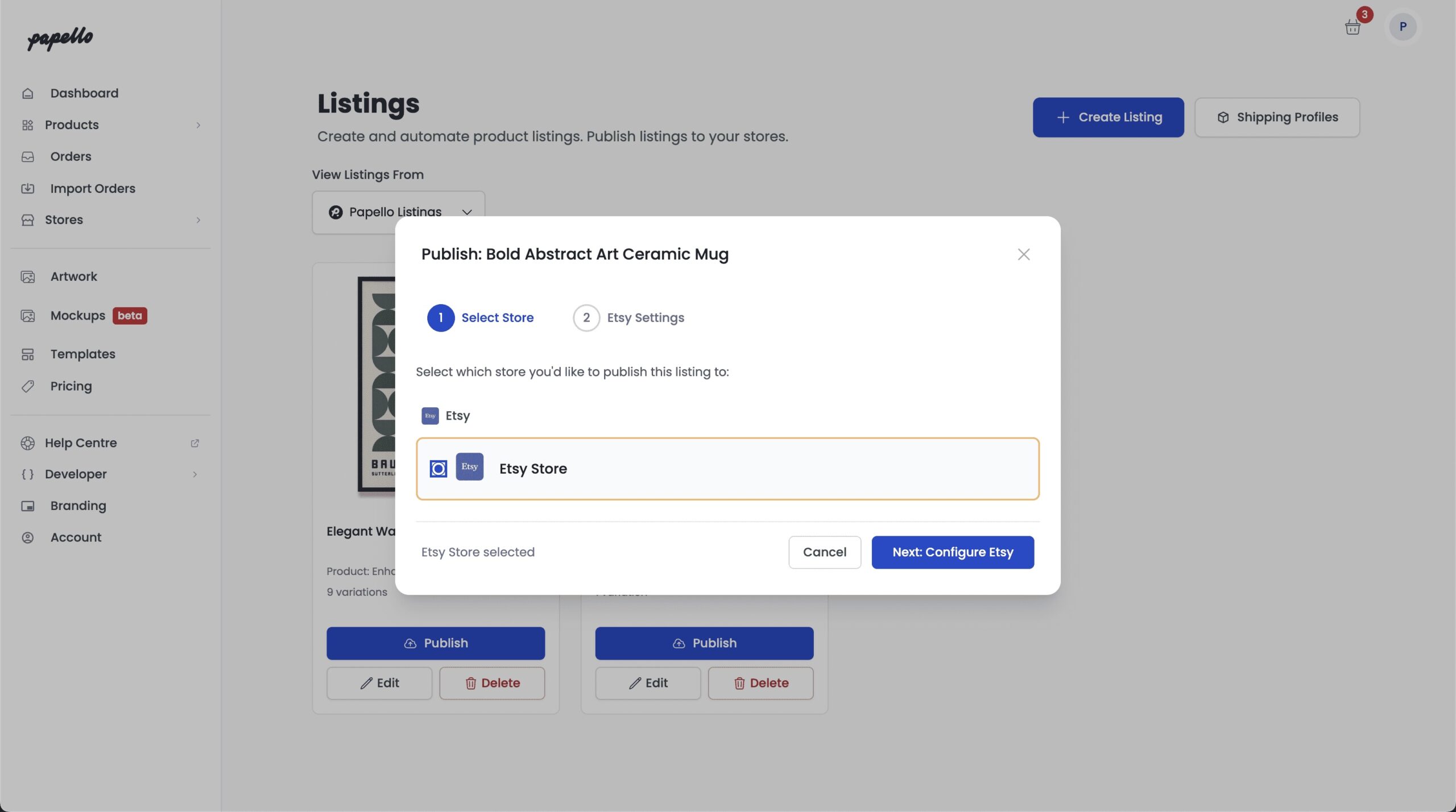
Step 2: Select Your Etsy Store
A pop-up window will appear showing all of your connected stores.
Select your Etsy store.
Step 3: Configure the Listing for Etsy
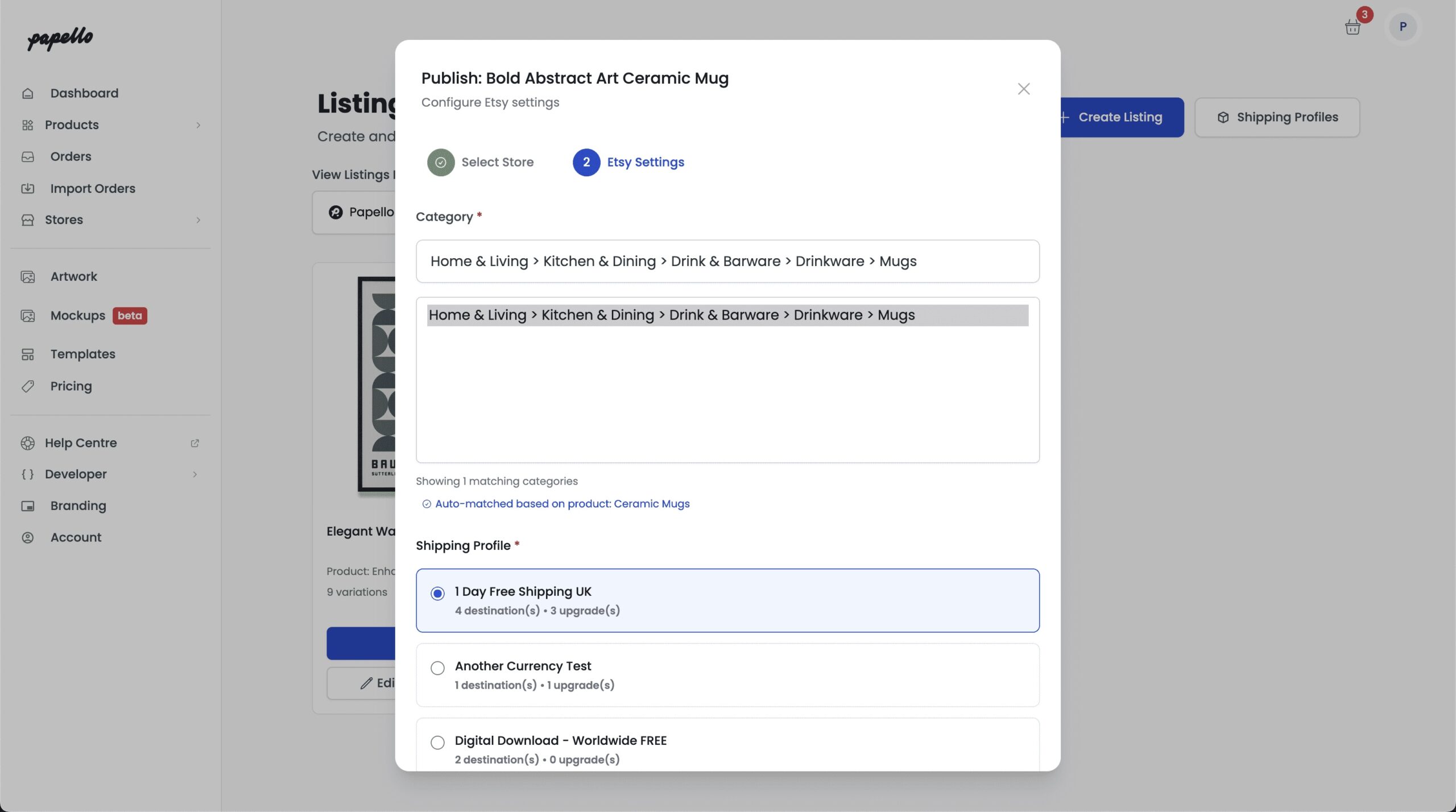
Etsy Category
Papello will automatically map your listing to a suitable Etsy category.
If needed, you can:
- Search Etsy’s category tree
- Manually select a different category
Shipping Profile
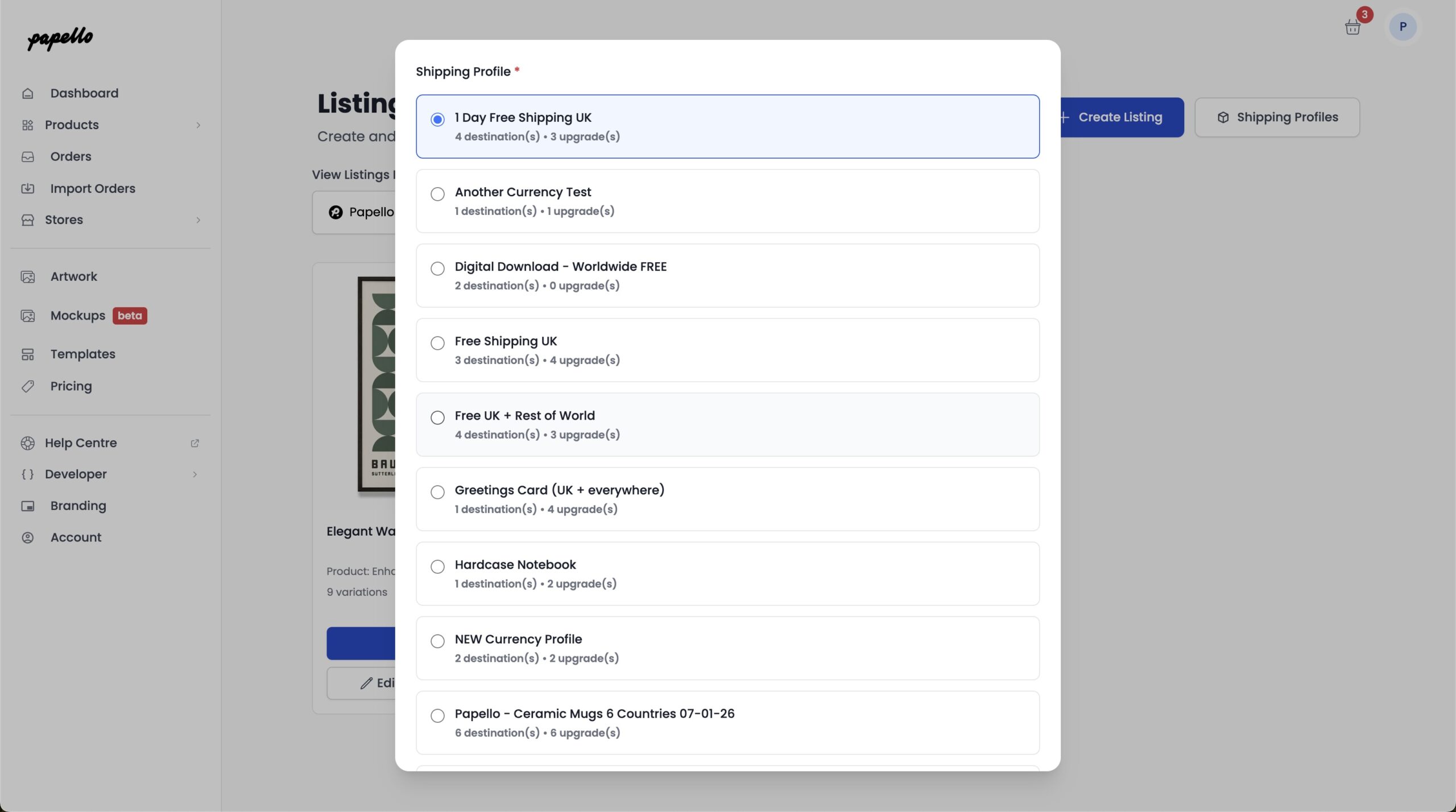
You can now choose how shipping is handled on Etsy.
You can:
- Assign the listing to an existing Etsy shipping profile
- Create a new shipping profile for this product
Papello will display all shipping profiles currently available on your Etsy store.
Optional: Create a New Shipping Profile
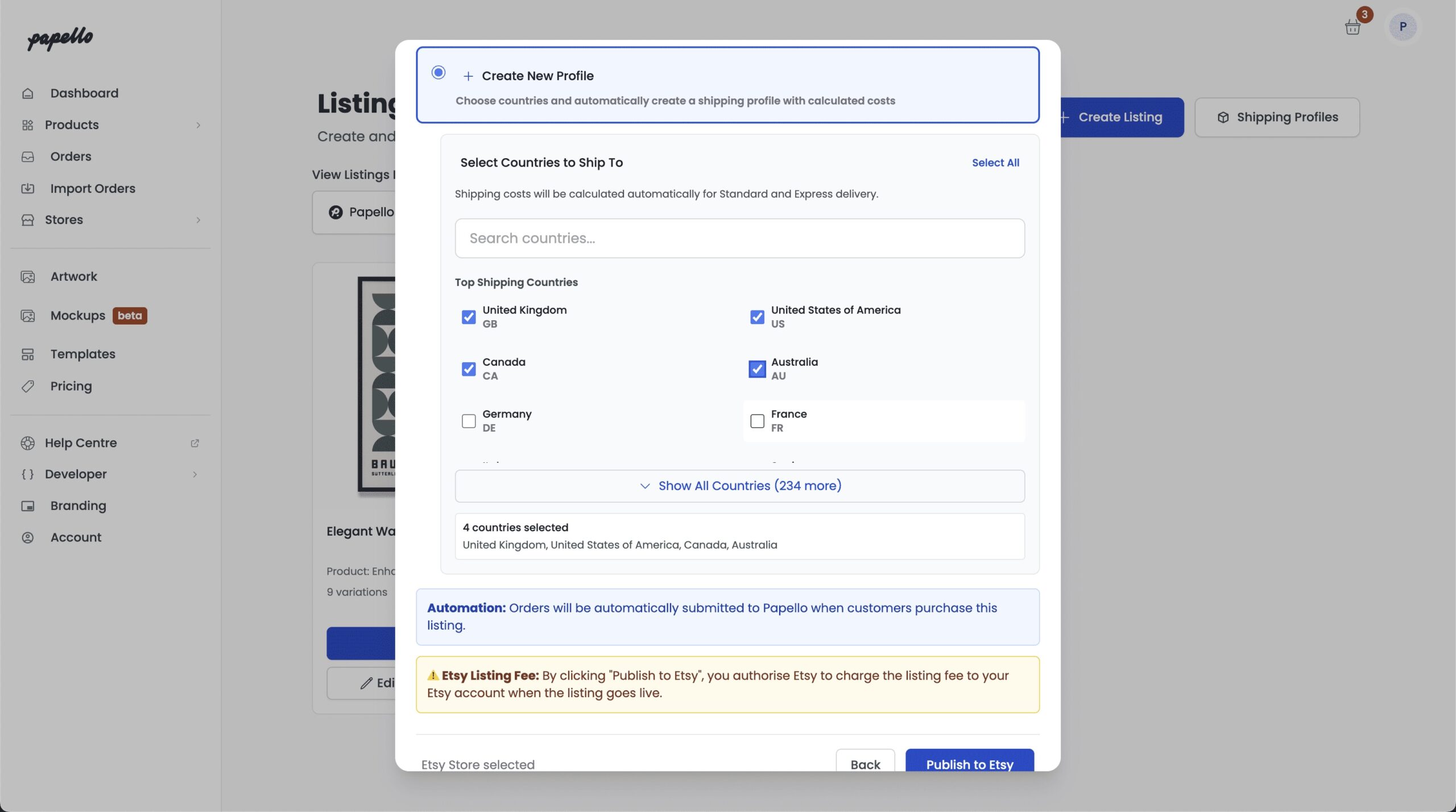
To create a new shipping profile:
- Select Create New Profile
- Choose the countries you want to ship to
When the listing is published:
- A new shipping profile will be created in your Etsy store
- The listing will be automatically linked to it
Step 4: Publish to Etsy
Click Publish to Etsy.
Your listing will be added to the publishing queue and should appear in your Etsy shop within a few minutes.
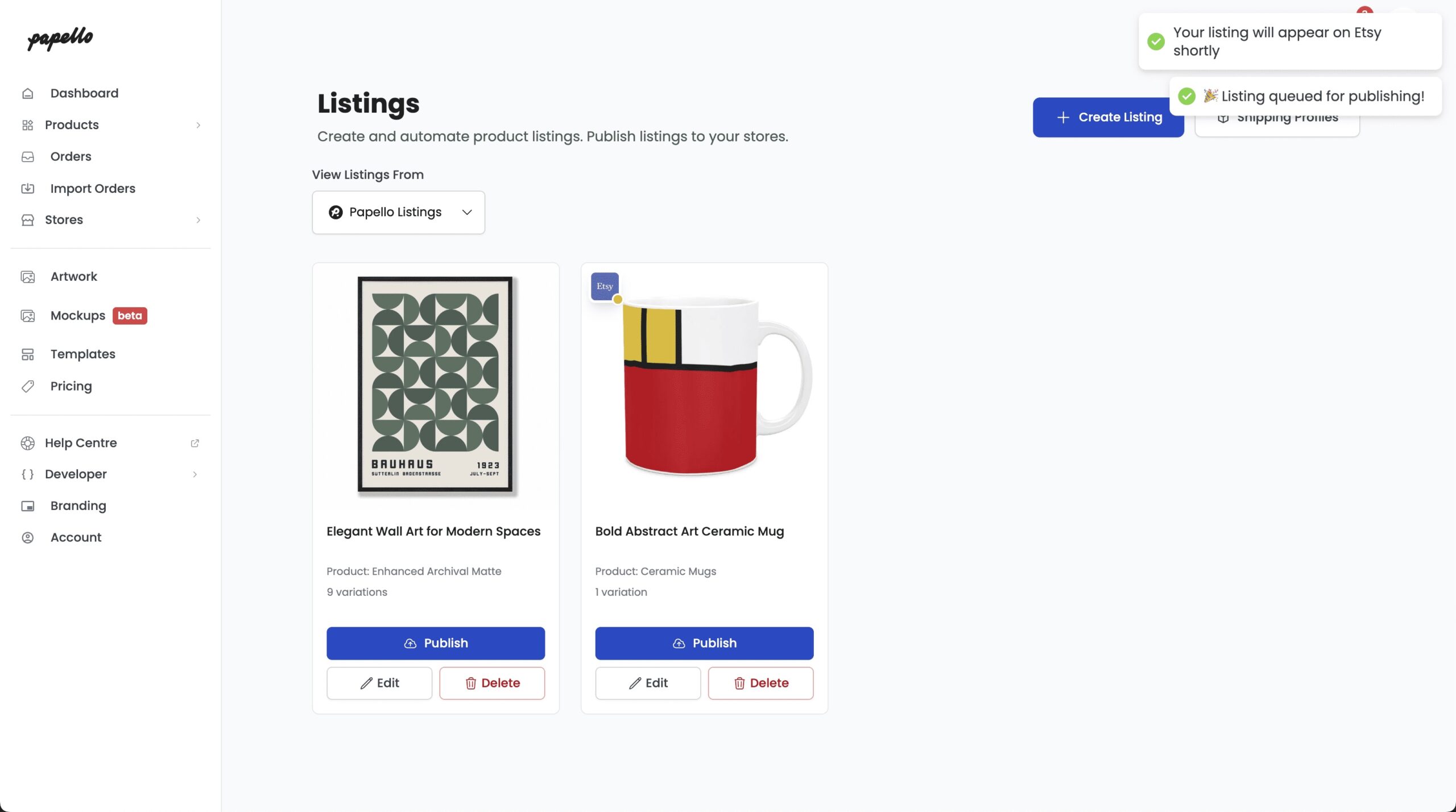
Finished 🎉
That’s it — your Papello listing is now live on Etsy.
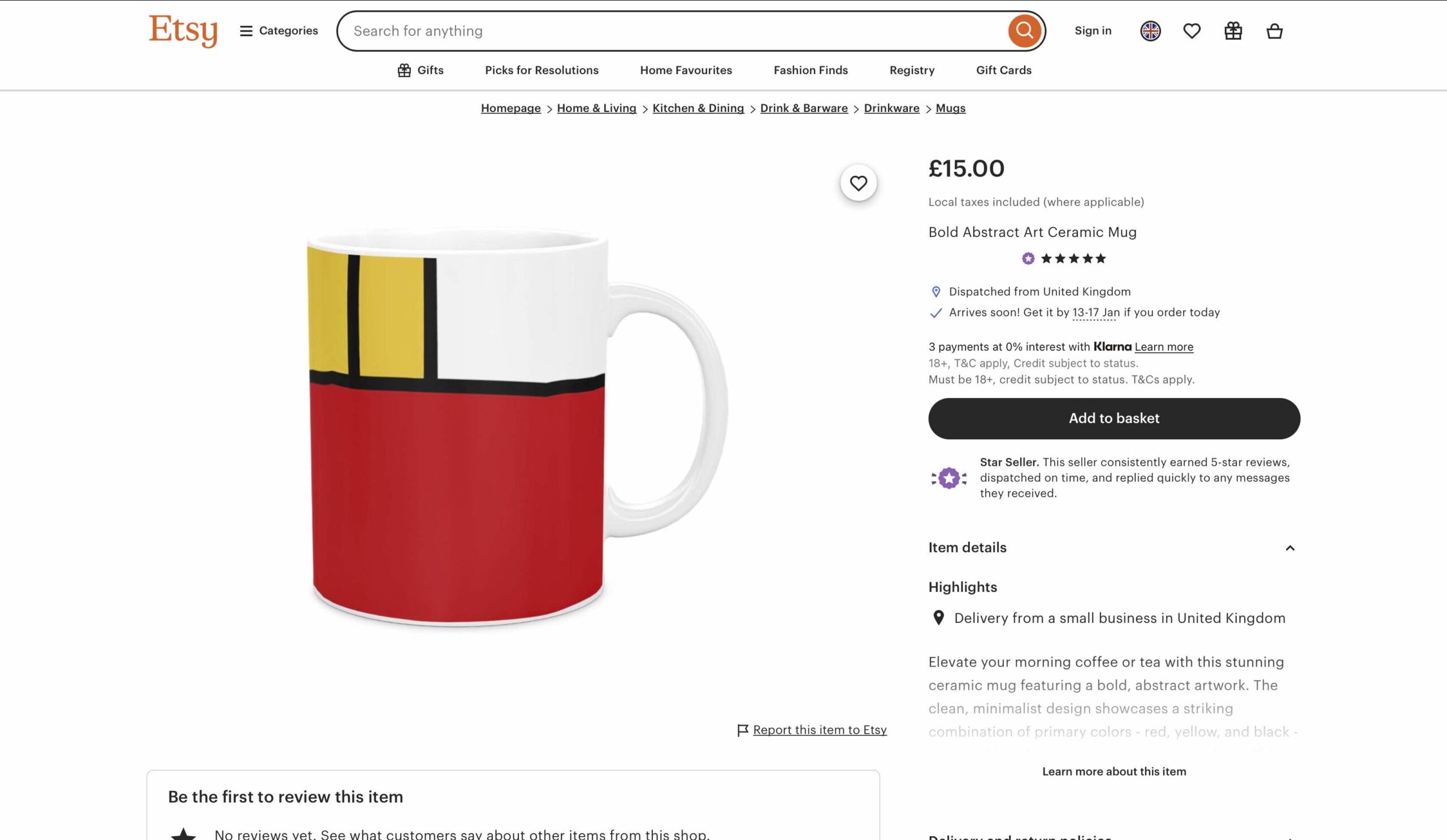
From this point on:
- Orders will be fulfilled automatically by Papello
- You don’t need to manually place or manage orders
- Your customers receive their items directly from production